
For coaches, team managers and fixtures secretaries.
Every team manager knows the routine. You create the event, the notification goes out, and the replies come in from the squad. That part is easy now.
But what about the people outside your squad? The referee for Saturday’s match. The coach of the team you’re hosting. A guest coach, or the first-aider from another section of the club.
Suddenly you’re back to email chains, text messages and a list on the back of an envelope. “Did anyone confirm with the ref?” is how Saturday mornings go wrong.
Running an event means keeping track of everyone involved, not just your members.
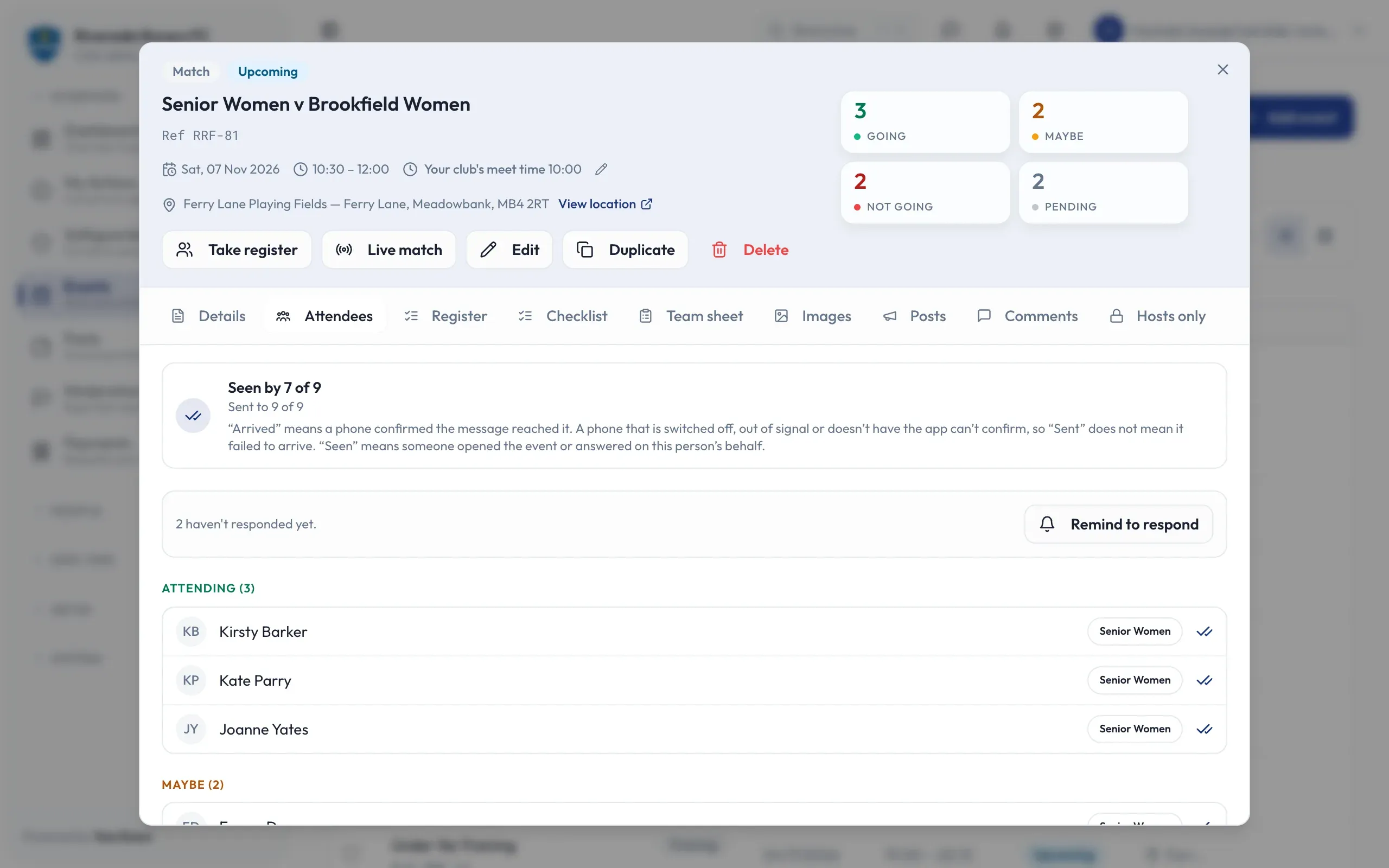
Your squad: going, maybe or not going
Members answer Going, Maybe or Not going in the app, and parents answer for their children. The event shows who’s going, who might, who can’t and who hasn’t replied yet, and how many people have seen it.
One button, Remind to respond, nudges only the people who haven’t answered. You can also switch on an email reminder that goes at a time you choose, say two days before at six in the evening, so nobody has to remember to send it.
Everyone else: a private link, no app needed
For people outside the club, add them to the event as a guest, with their name, their role (referee, opposition coach, first-aider) and their email address. YourZown emails them a private link to that event, or you can copy the link and send it yourself.
They don’t need an account, and they don’t need the app. The link opens a simple page for that one event, where they choose Going, Maybe or Not going.
Their reply comes straight back to the event, and the coaches and admins running it are told. Guests are listed in their own section, apart from your members, so your squad numbers stay honest: a referee saying yes doesn’t make it look as if you have one more player.
They get the details, not just the date
A referee who can’t find the pitch isn’t much help. The page a guest opens shows the date, the time and the venue, with a map, directions and an Add to calendar button.
It also shows the venue’s own notes: whatever your club has written about the ground, such as where to park, which gate to use, where the changing rooms are, your emergency action plan and where the defibrillator is. Write those notes once on the venue, and every guest invited to an event there sees them.
Picture the visiting team arriving on time, already knowing where to park and where the first-aid kit lives. Picture the referee finding the right pitch without a single phone call.
How YourZown helps
- Members and parents answer Going, Maybe or Not going in the app, and one button reminds everyone who hasn’t replied.
- Referees, opposition coaches and other guests reply from a private link, with no account or app.
- Guests’ replies sit in their own list, so your squad numbers stay honest.
- Everyone invited sees the venue’s notes, a map and an Add to calendar button.
See how invites and reminders work, or book a demo and we’ll show you an event from both sides: the coach’s and the referee’s.