
Right-sized access
Give coaches, welfare officers, treasurers and administrators the access their role needs, with no reason to share logins.
Squads, availability, registers and messages in one place, not six apps.
Give coaches, welfare officers, treasurers and administrators the access their role needs, with no reason to share logins.
Keep match-day tasks clear on the phone and in the conditions where volunteers actually use them.
Use your club’s terminology and structure so volunteers are not learning a new language as well as a new tool.
Give each volunteer the access their job requires, without sharing logins. Enable payments and subscriptions for the treasurer while leaving other admin permissions off. The role sets which parts of the web administration that person can use.
How access is controlled Book a demo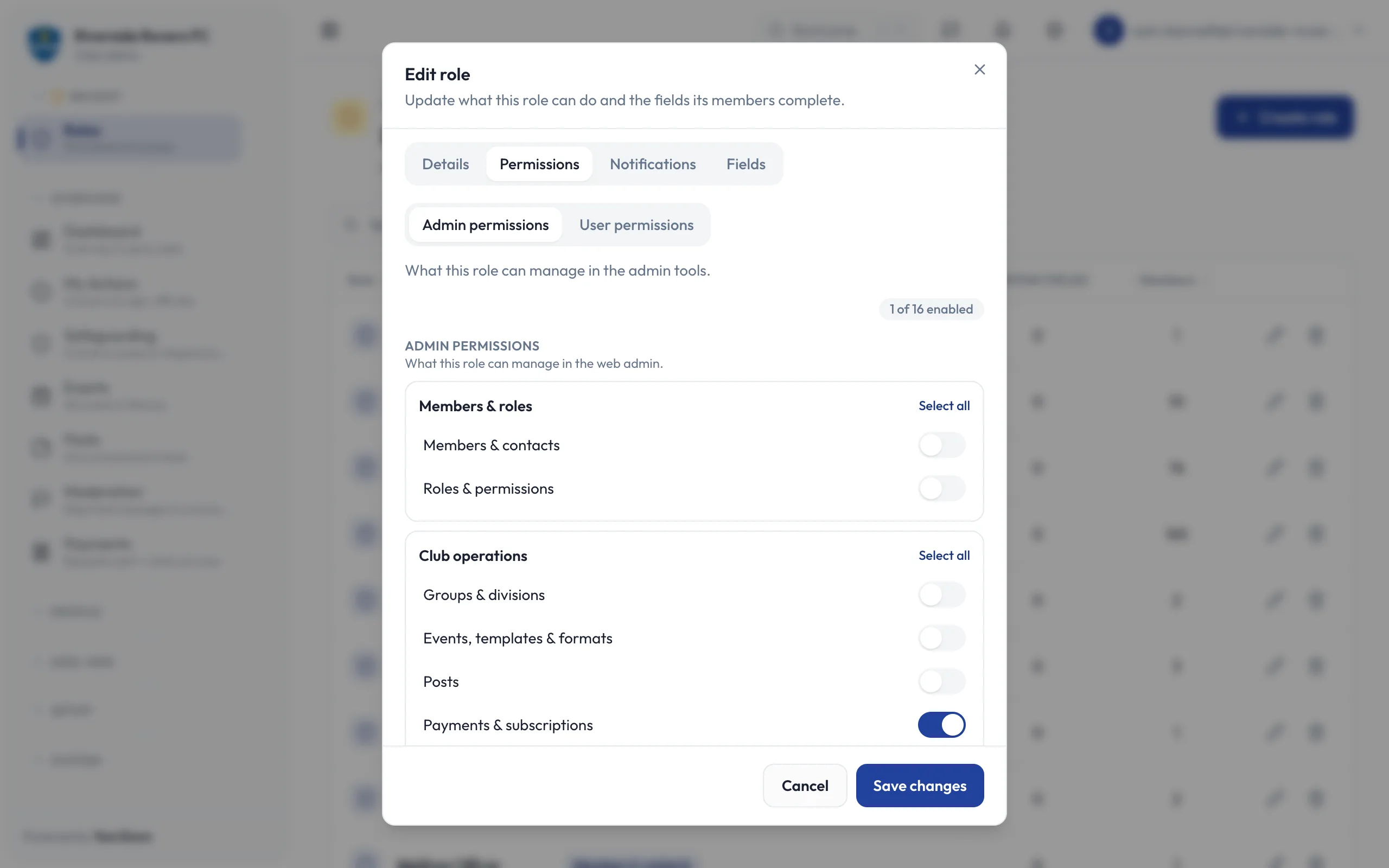
Check availability against the event rather than collecting replies from separate messages. See who is going, unsure, unavailable or still to reply, alongside how many have seen it. Follow up with only the unanswered group using Remind to respond.
Book a demo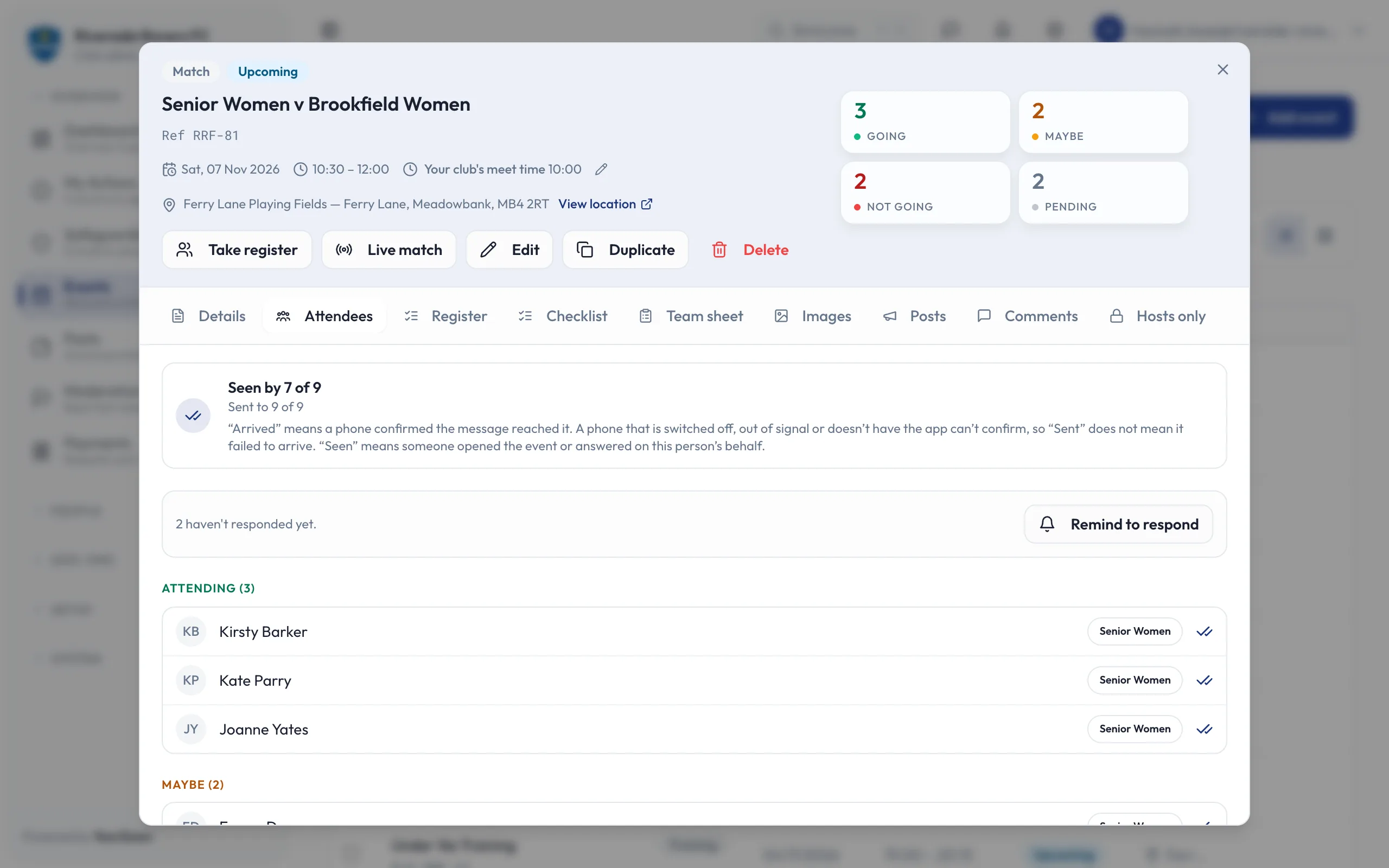
Keep reusable routines and a shared record so handover depends less on one person’s memory. Save the club’s training and match-day setup in templates another volunteer can pick up, with the fields for availability, match days and training kept together.
Book a demo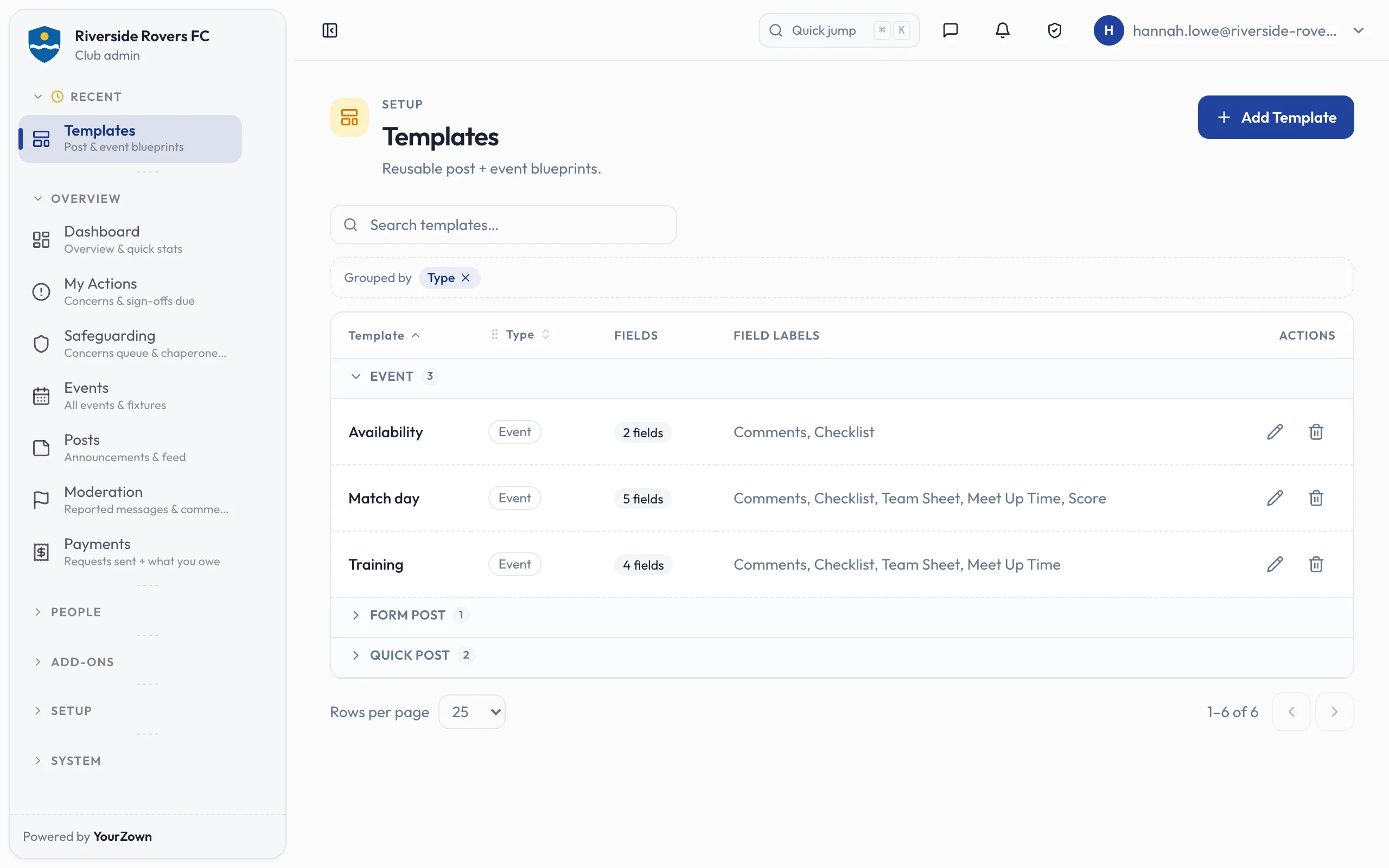
Role permissions give volunteers access for the job they do, while reusable routines and shared records support the next person’s handover.
How club information is handledBring one real job from your week and we’ll put it at the centre of the walkthrough.