
One shared structure
Bring members, teams, sections and club records into a structure everyone recognises instead of maintaining several competing lists.
Members, teams, coaches, venues and roles, set up the way your club works.
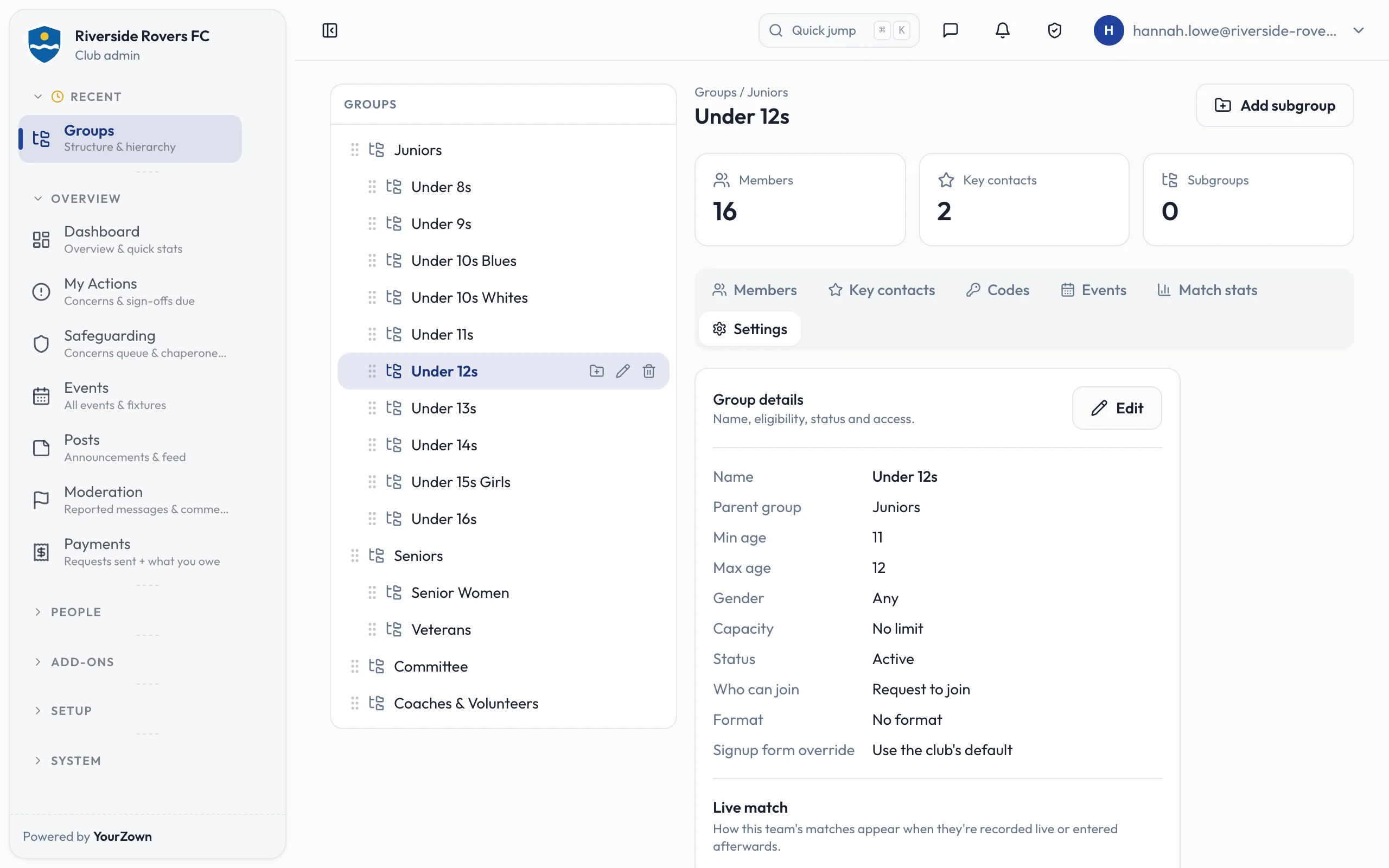
Bring members, teams, sections and club records into a structure everyone recognises instead of maintaining several competing lists.
Give coaches, welfare officers, treasurers and administrators access that reflects the job they actually do.
Keep memberships, consents, medical notes, documents and eligibility together instead of reconciling several copies of the same spreadsheet.
Set up teams, age groups and sections the way the club actually runs. Each group keeps its own members, key contacts and settings, so a coach or secretary finds their part of the club without wading through everyone else’s.
Book a demo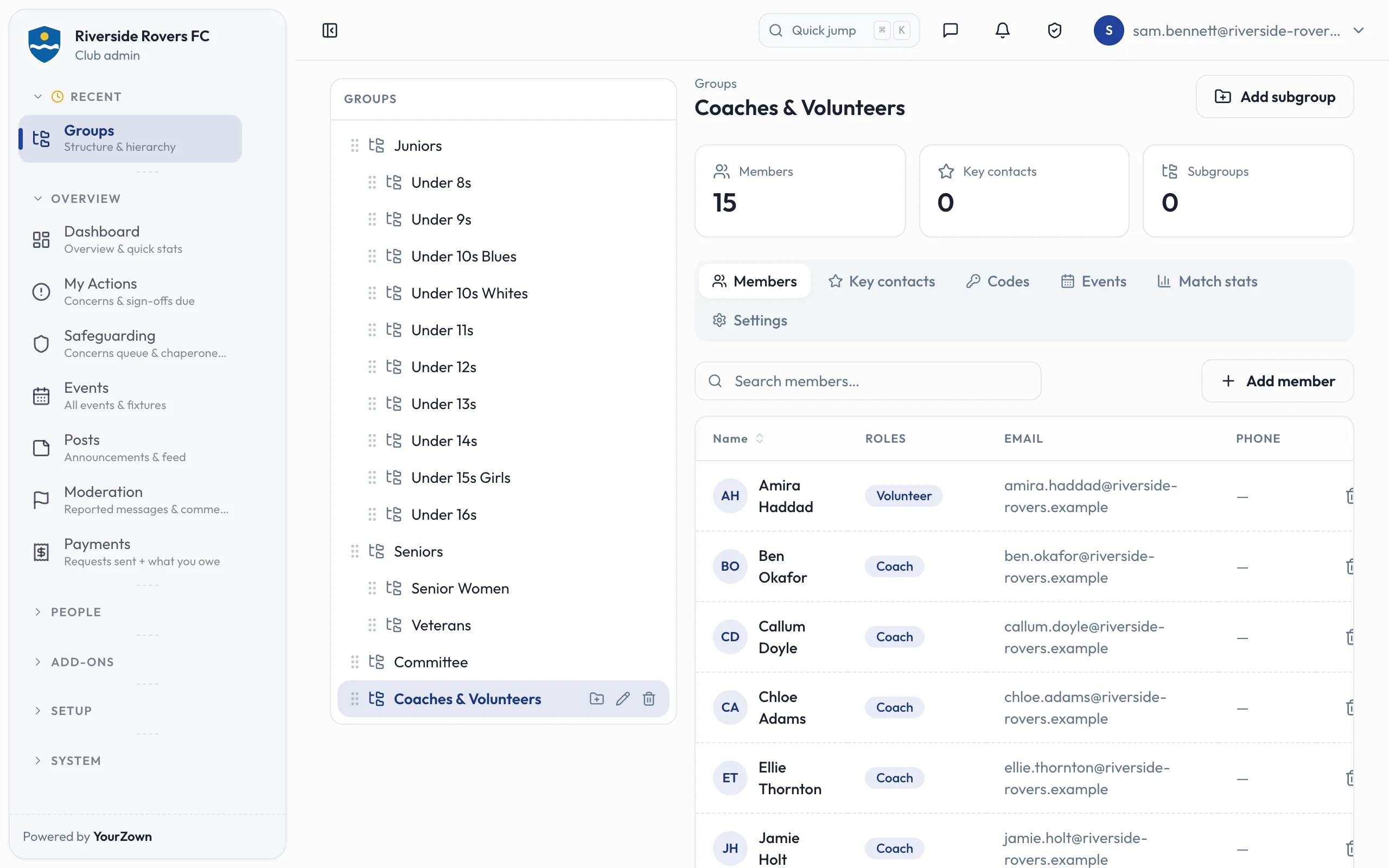
Give the treasurer the payments and nothing else, and a coach their own team. Each role carries its own permissions, so access changes when someone’s job does, not when someone remembers to change it.
How access and consent are handled Book a demo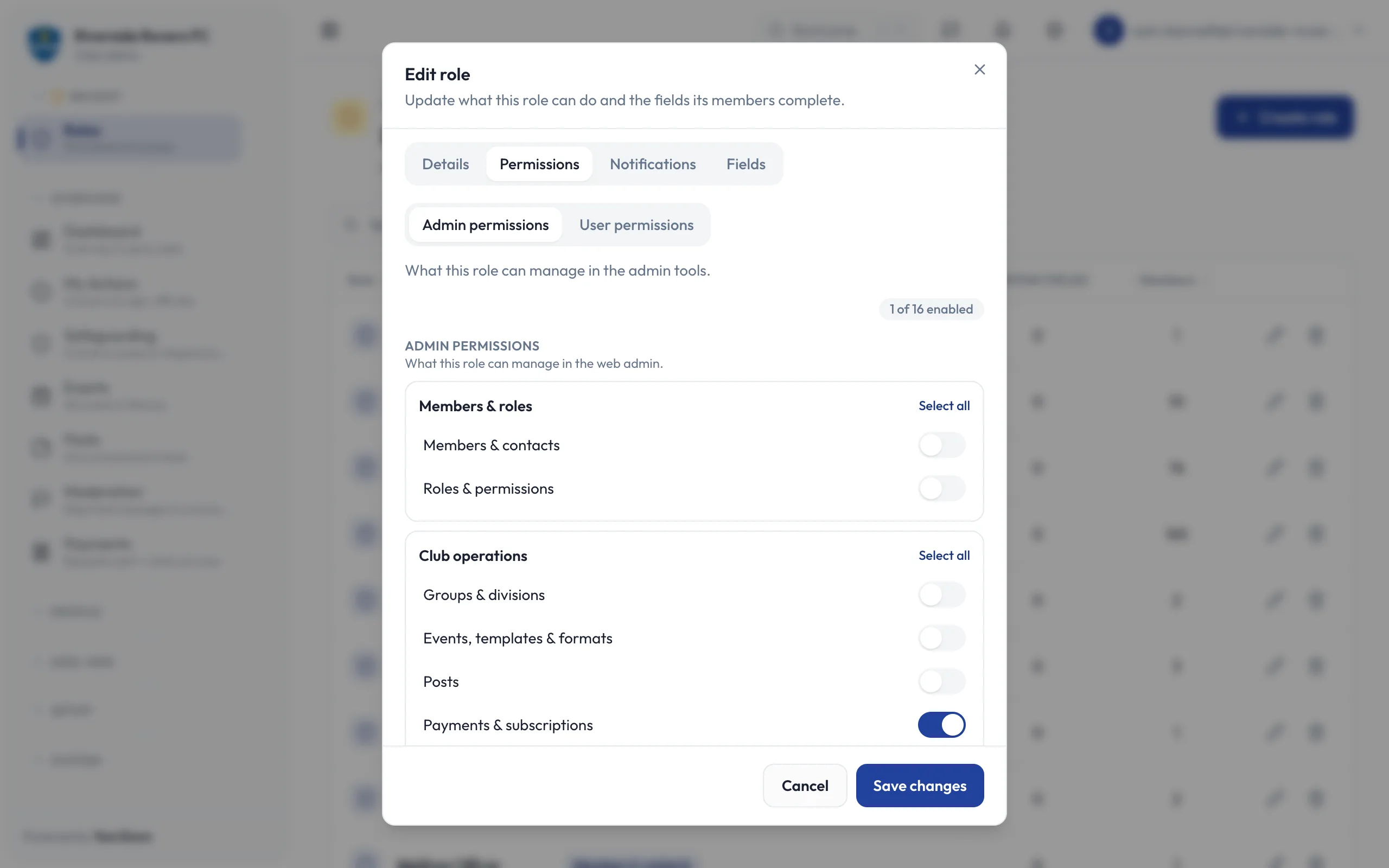
A volunteer might coach the Under 12s and sit on the committee. Their roles, teams and key-contact duties sit on one record, so the club knows who to ask and nobody is entered twice.
Book a demo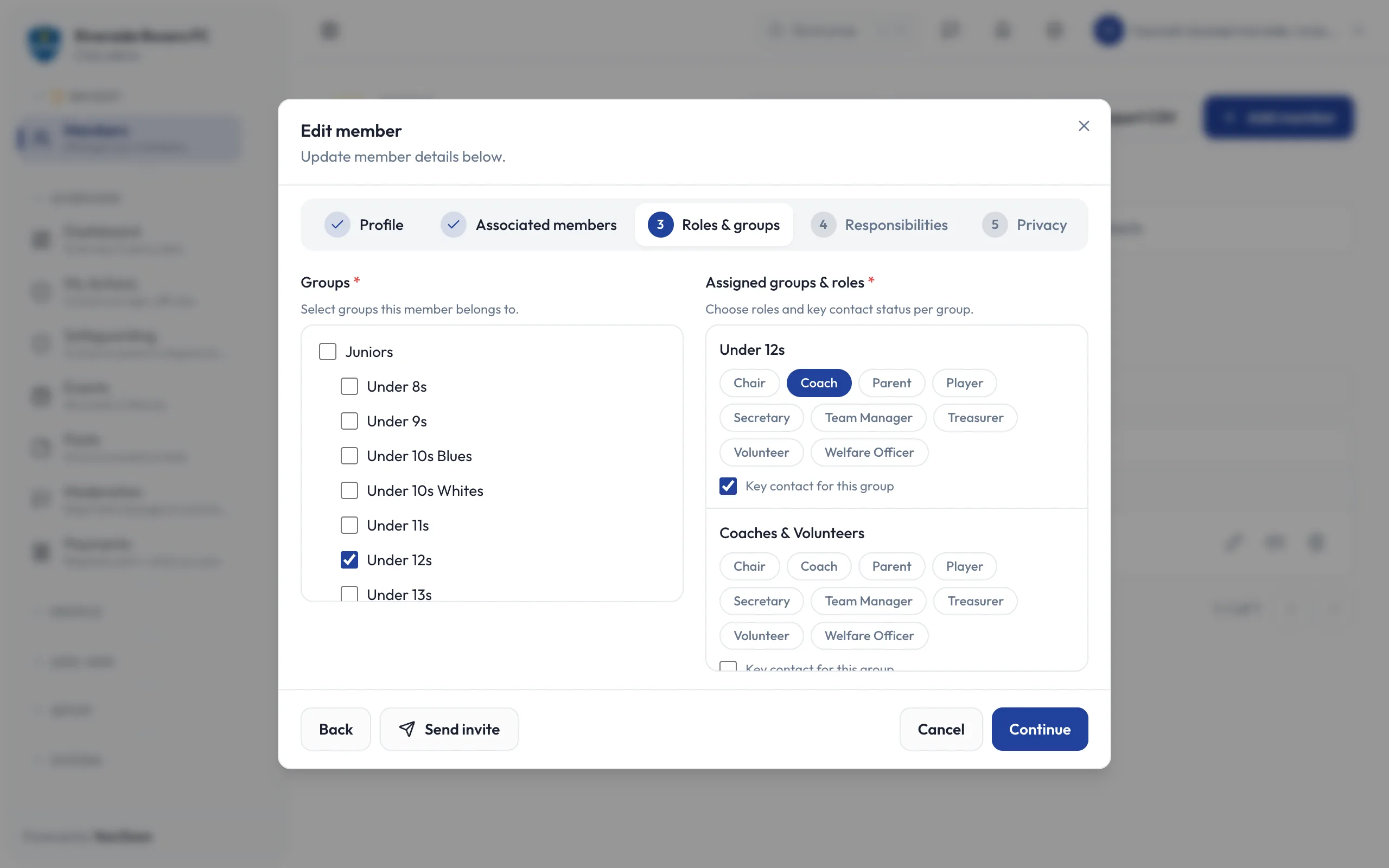
Members, consents and club roles stay in shared records; access follows the responsibilities assigned to coaches, treasurers, welfare officers and administrators.
How club information is handledIt depends on the shape of your club, the state of your data and how much you want to move at once. We turn that into a practical plan with clear owners. We set up your teams, age groups and sections to mirror the club’s real structure.
Yes. Import your member list from a spreadsheet yourself, free. Teams, venues and events can be imported with the Import power-up, and for another platform’s data we start with a sample. Players, parents and coaches receive an invitation to join your club.
Role-based access and shared club records make it easier to hand work over without rebuilding the system around a new volunteer.
Yes. Configure training templates, registration forms and match-day routines, then apply them across the season.
Bring one real job from your week and we’ll put it at the centre of the walkthrough.