
Your colours
Set the palette that members already associate with the club and carry it through the main experience.
Your club’s colours and identity everywhere members see you.
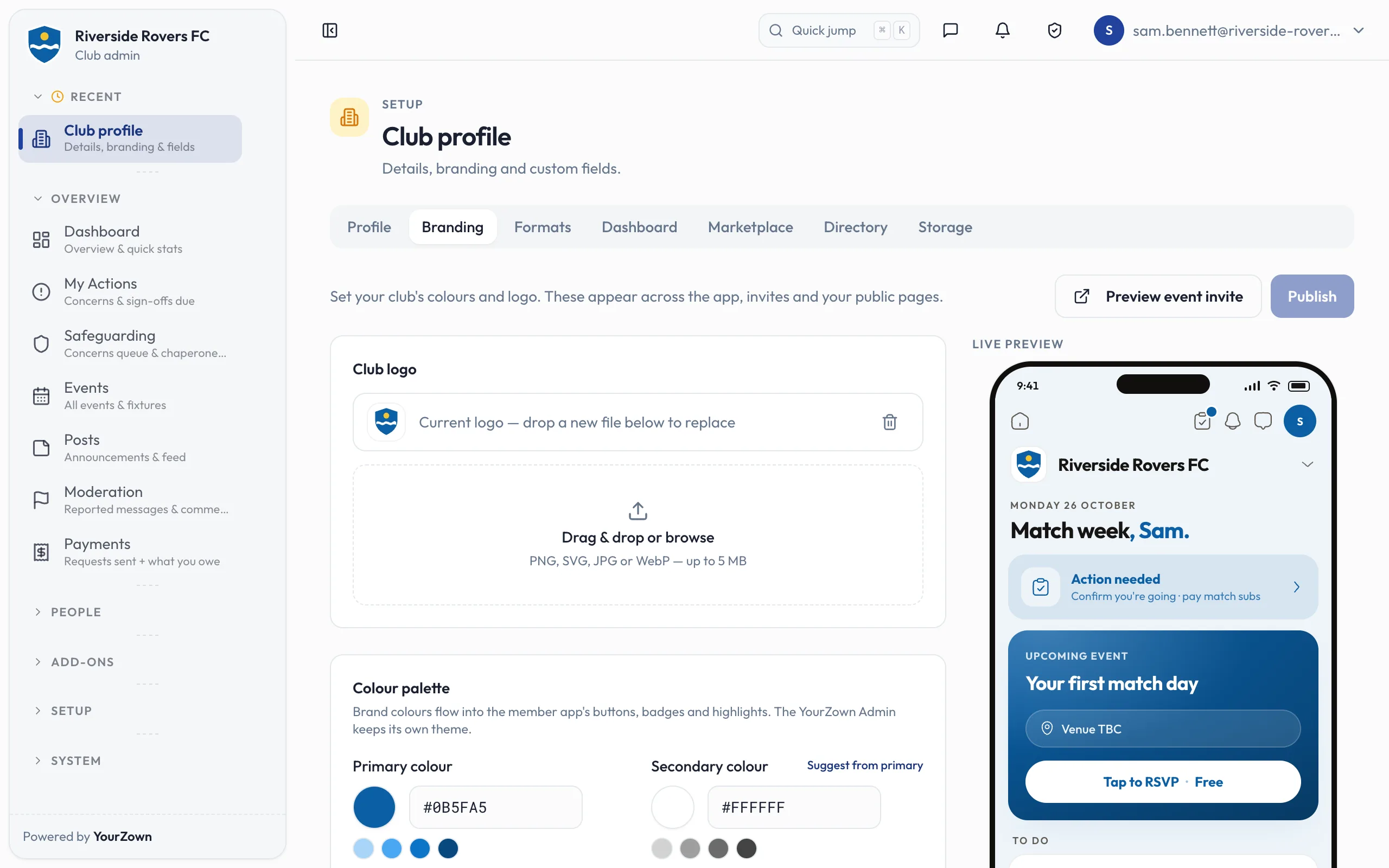
Set the palette that members already associate with the club and carry it through the main experience.
Keep your logo visible across the member and administrative moments where identity matters.
Shape welcome flows, templates and everyday messages so they sound like your organisation.
Set your club’s crest and primary and secondary colours in Branding, then check how they appear in the phone preview. Carry those choices into the members’ app, which is coming soon, so members see the identity they already know.
Book a demoShape the welcome for new members and parents, then edit the templates used for fixtures, invoices and receipts. Your club’s wording carries through those routine messages, so joining and paying can sound like the same organisation people came to join.
Book a demoYour club sets its own colours, crest, welcome flows and message wording.
Bring one real job from your week and we’ll put it at the centre of the walkthrough.