
Targeted comms
Message by team, age group, role or named people so a club-wide update does not become everyone’s notification. Parents of the players you select see the message too.
Invites and reminders sent only to the people who need them.
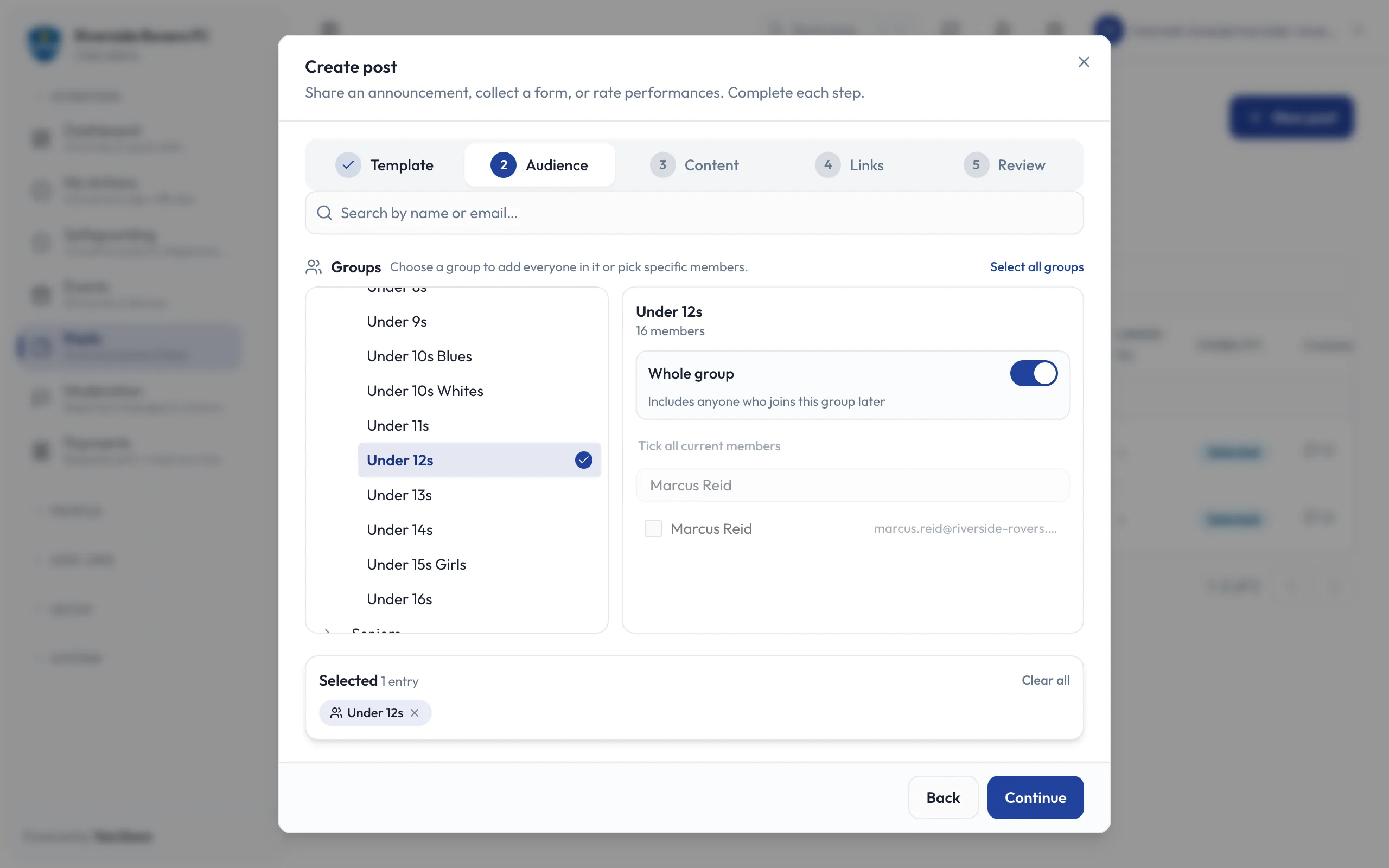
Message by team, age group, role or named people so a club-wide update does not become everyone’s notification. Parents of the players you select see the message too.
The platform reminds members before events and payment deadlines, chases unanswered availability requests, and warns people before a DBS or first-aid certificate runs out.
Members RSVP, confirm availability, reply with questions, all threaded cleanly in the platform so no message gets buried in an inbox.
Each event shows who’s going, who might, who can’t and who hasn’t replied, and how many have seen it. One button reminds everyone who hasn’t responded, so nobody chases by hand.
Book a demo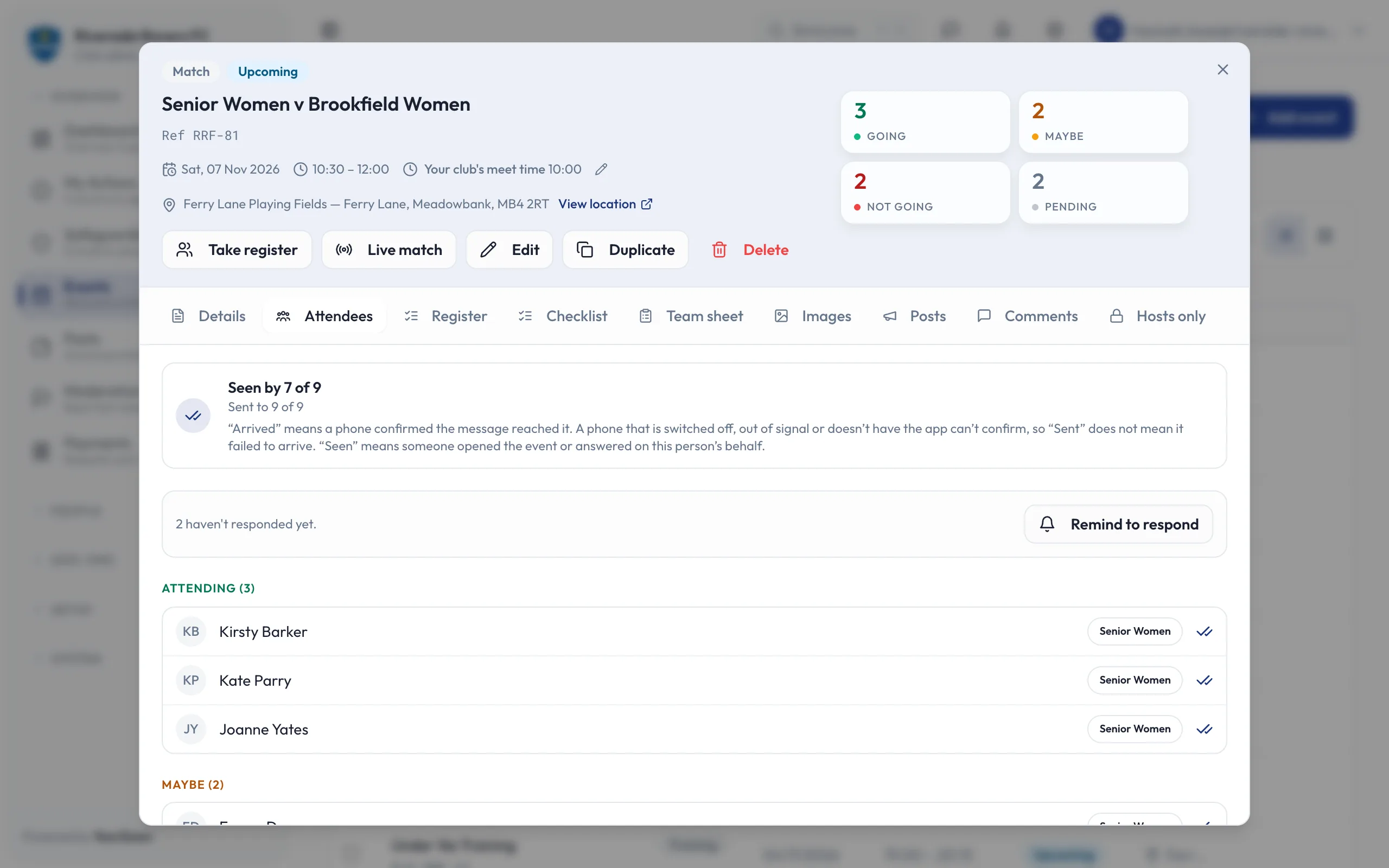
Switch on an email reminder for an event and pick when it goes: say two days before, at six in the evening. Then it goes without anyone having to remember to send it.
Book a demo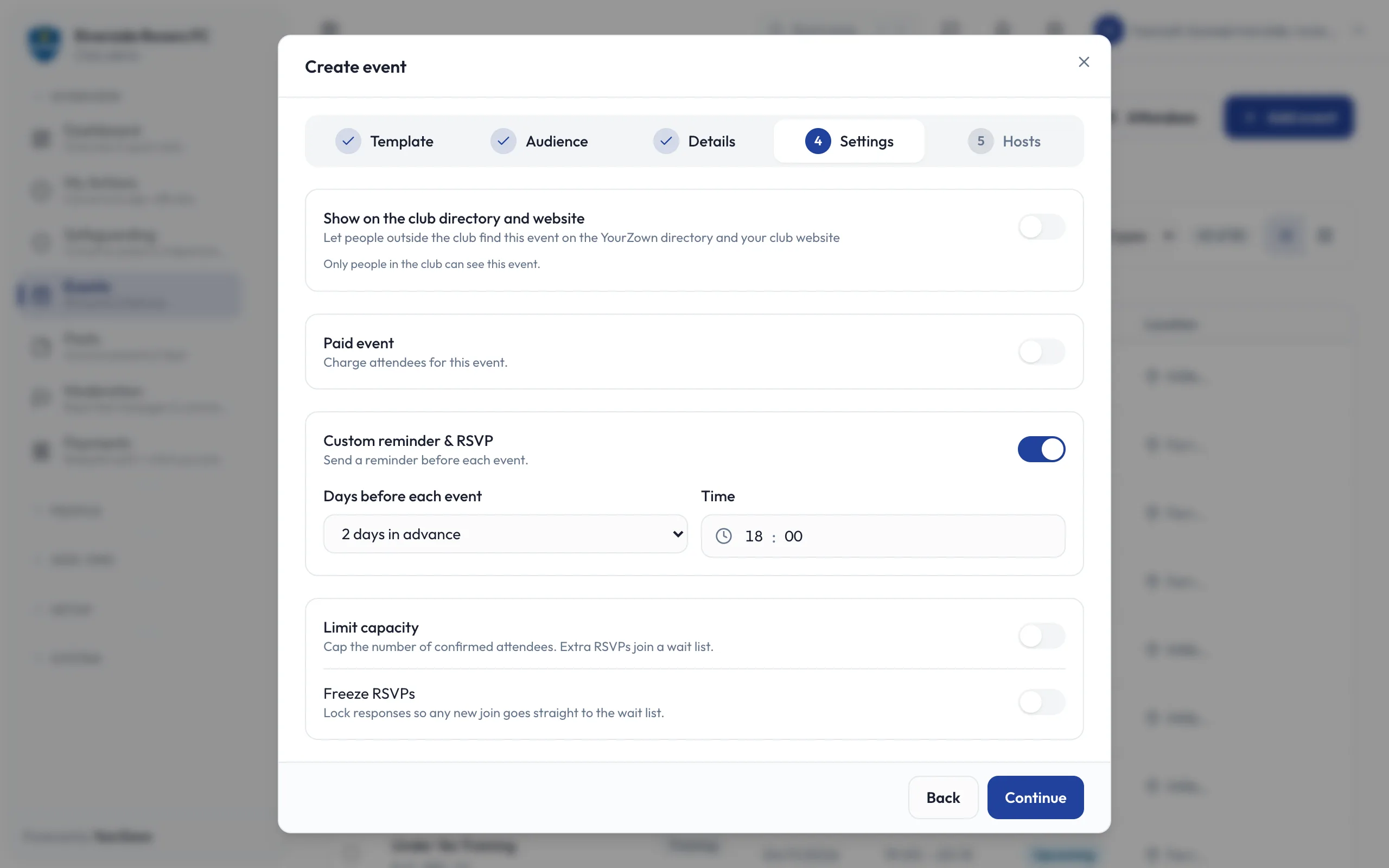
Keep coaches’ and volunteers’ replies in the club’s own chats, with the conversation together in one place. See how many people have read each message you send, so you can follow the discussion without collecting replies from separate inboxes.
Book a demo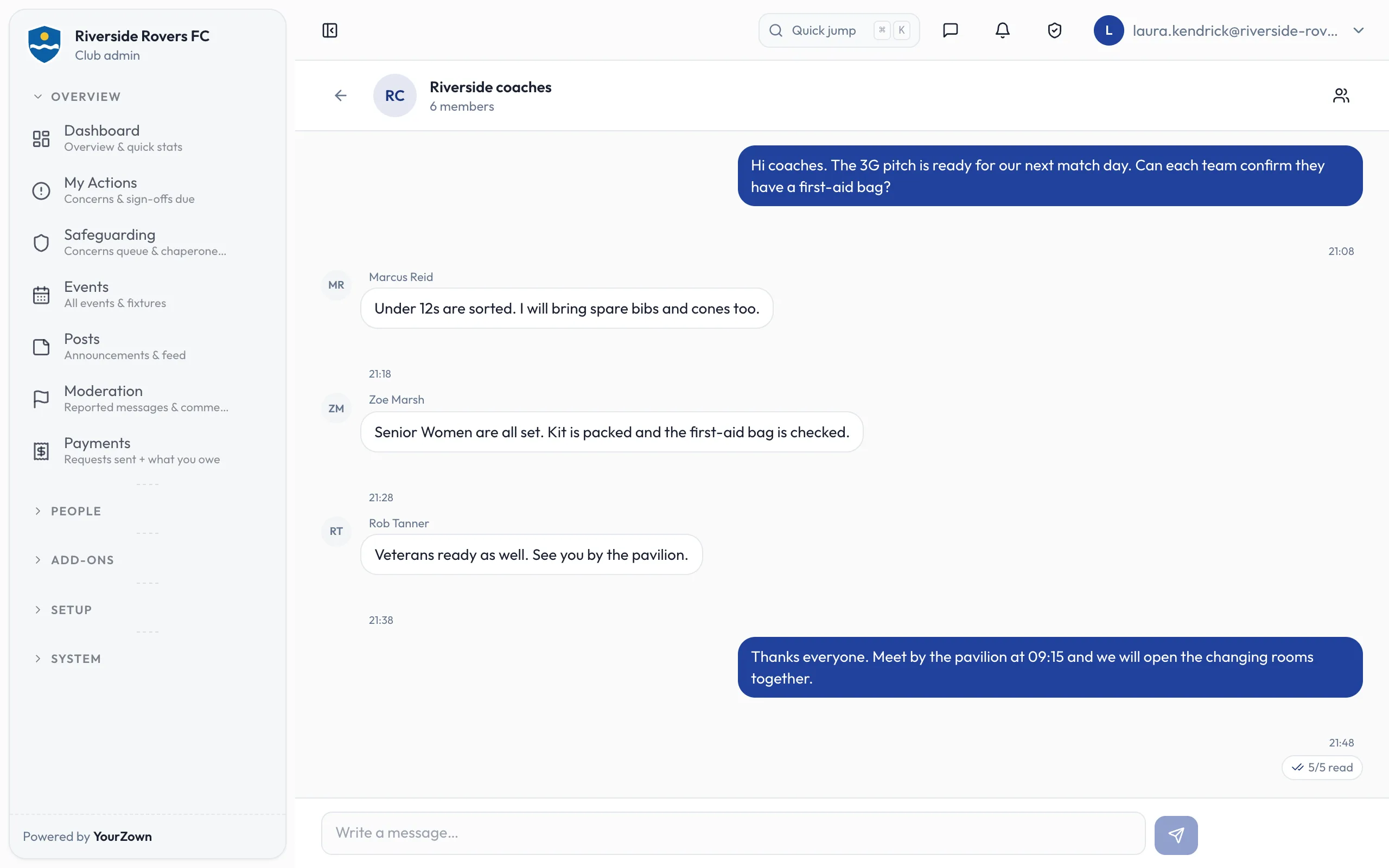
Messages go to the people you select; event follow-ups can target only those who haven’t replied.
Yes. Use the pre-built match-day, training and renewal templates, or write your own. Edit the wording and branding so messages sound like your club.
Bring one real job from your week and we’ll put it at the centre of the walkthrough.