
A payment trail
Follow a charge from the member’s view through to the treasurer’s records, with provider roles and settlement explained clearly.
Subs, match fees and kit charges, alongside your members and reminders.
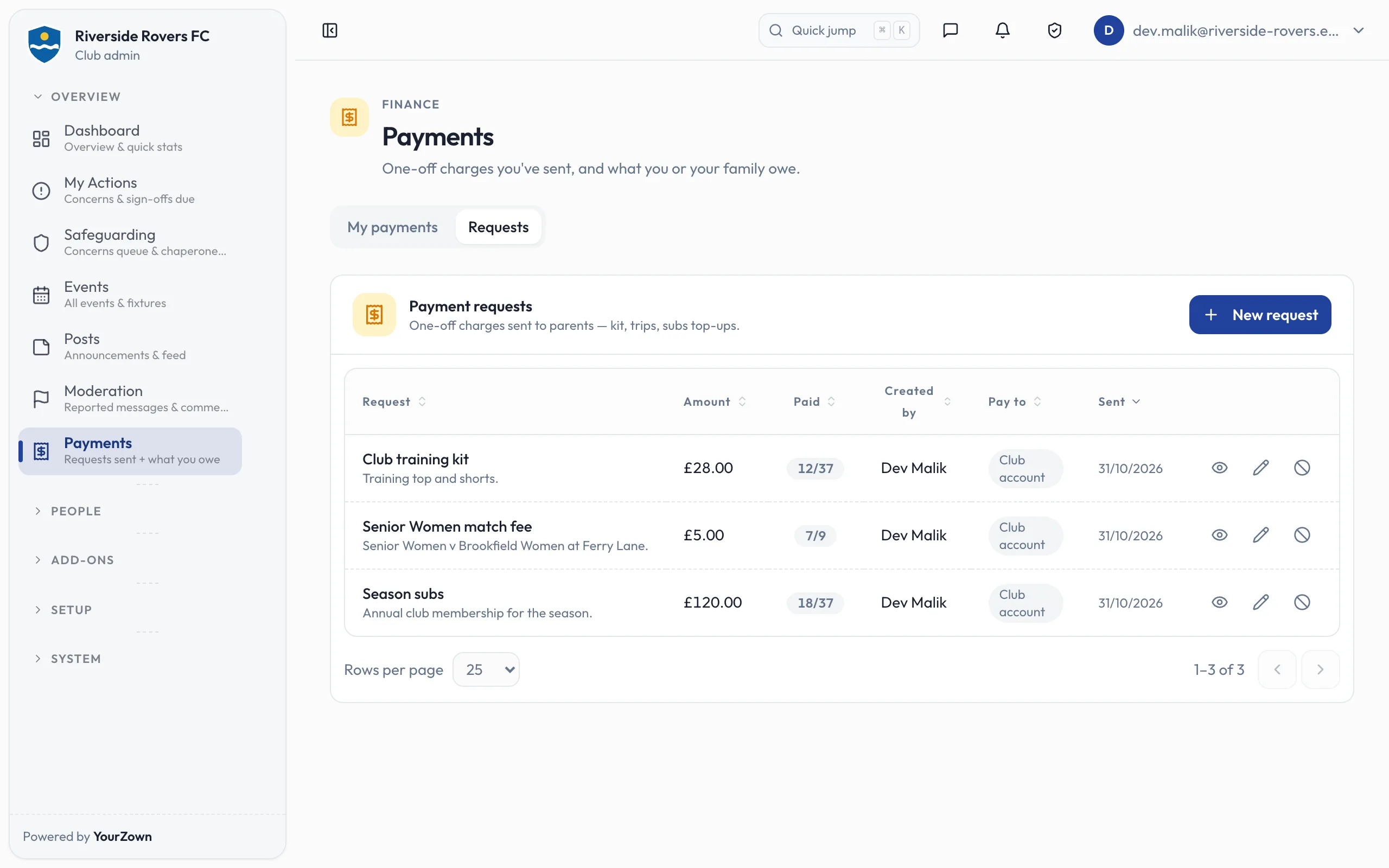
Follow a charge from the member’s view through to the treasurer’s records, with provider roles and settlement explained clearly.
Set up memberships, match fees, kit and one-off charges in one place, ready for the season.
Software, processing, transaction, onboarding and optional costs are explained separately so the committee can see the whole picture.
Set a fee once and send the request to the members it’s for. They pay by card, and the treasurer sees who has paid and who hasn’t in one list, without a side spreadsheet. Money handed over another way can be marked as paid.
Reminders for the ones who haven’t Book a demo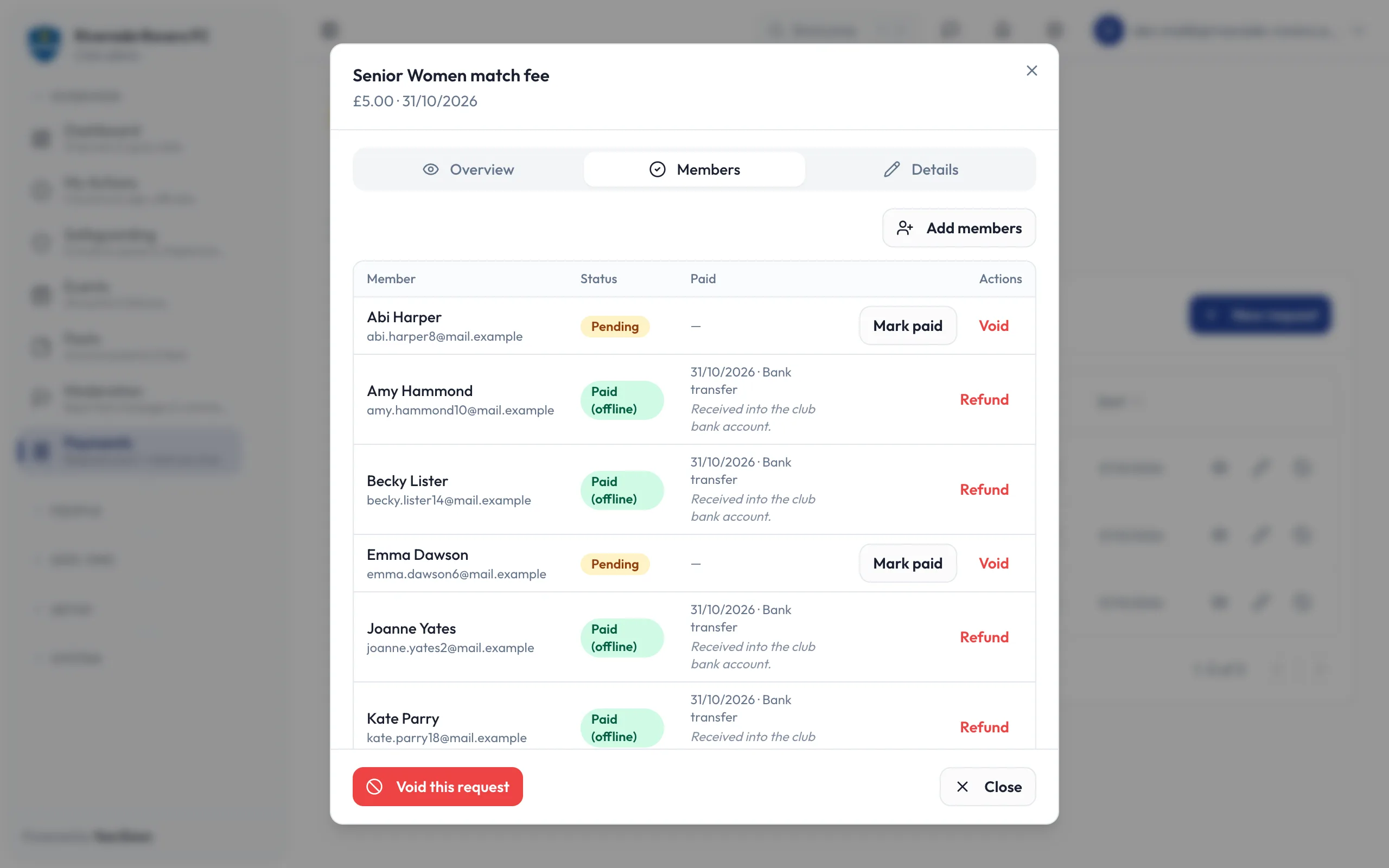
Payments go through Stripe, straight into your club’s own Stripe account. Card details stay with Stripe, and the costs are set out before you go live. Keep each request and who has paid it in the club’s records.
Book a demoPayments go straight into your club’s own Stripe account; card details stay with Stripe.
How club information is handledYour proposal separates the software subscription, processing, transaction and onboarding costs so the total is easy to understand.
Straight into your club’s own Stripe account. Card details are handled by Stripe and never reach YourZown.
We use one of your real fees to walk through the available checkout and payment-record journey from both the member and administrator view.
Bring one real job from your week and we’ll put it at the centre of the walkthrough.