No adult alone in a chat with someone else’s child
A second adult must be added before such a chat opens, and in a one-to-one chat the main parent or carer is told who is in it. A club can waive it, at its own risk, with a switch in its safeguarding settings; the change is recorded, and every chat then opened without a second adult is listed for its safeguarding contacts to review.
Families only see their own teams’ events
A member or parent sees an event only if it’s for their or their child’s team, they’ve been invited, picked or asked, or they help run it. Messages about it go only to those people.
Parents hold the controls for children’s accounts
Under-13s can’t sign themselves up; 13 to 15-year-olds must name a parent or carer when they sign up, and that parent or carer is invited to link to their account. Only a parent or carer can set up a child’s login, and can reset or switch it off at any time. Age comes from the date of birth entered.
Pickup codes
Parents see a five-digit code in the app; the coach enters it at collection. If no collection is recorded after the session, coach and parents are alerted. Overriding a code needs a recorded reason.
Walking home alone
Parents record whether a child may make their own way home, and every departure is recorded as collected or left alone.
Consent before health information
Health notes about a named member in posts, assessments and coaches’ voice notes, injury photos and GPS tracking each need that member’s consent on file first, and admins are told when a parent withdraws health, photo, tracking or wearable consent.
Concerns, incidents and reports
Anyone, children included, can raise a concern or report a message, and it goes straight to the club’s safeguarding team. Clubs build their own incident forms, with sensitive answers encrypted.
Blocking
Anyone can block another member: no new private chat between them, and their messages are hidden. It never removes anyone from a team chat.
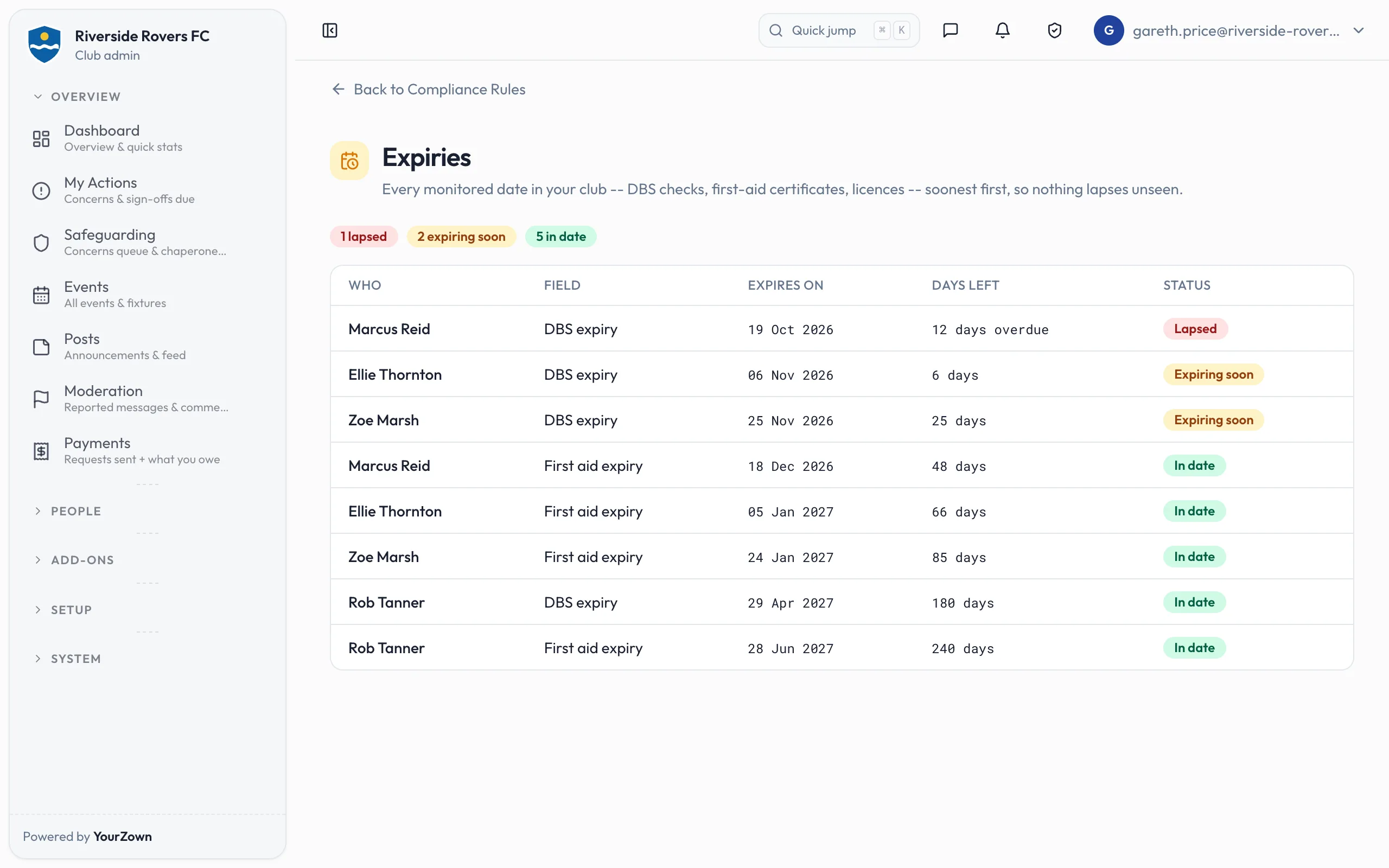
DBS and other renewal dates
Clubs track a DBS or first-aid expiry date on a profile, with reminders 30 and 7 days before and on lapse. YourZown tracks the date; it doesn’t carry out or check DBS.
Pickup codes, chats, blocking and children's own logins are in the new YourZown app for iPhone and Android, coming soon to the App Store and Google Play.
