
Assessment
Score a whole session against your own criteria, in one grid
For clubsBeta
Highlights
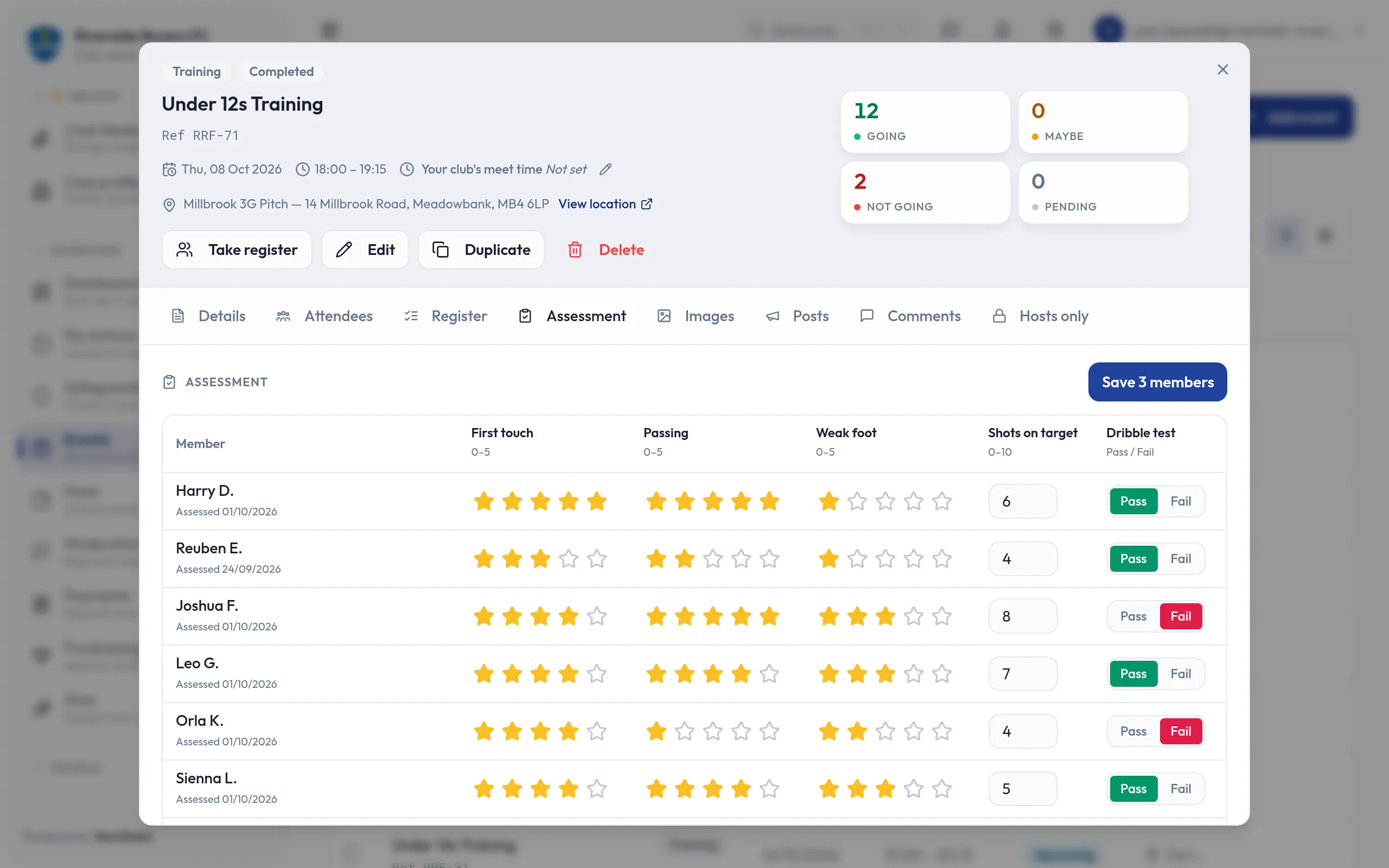
- Score a whole session in one grid
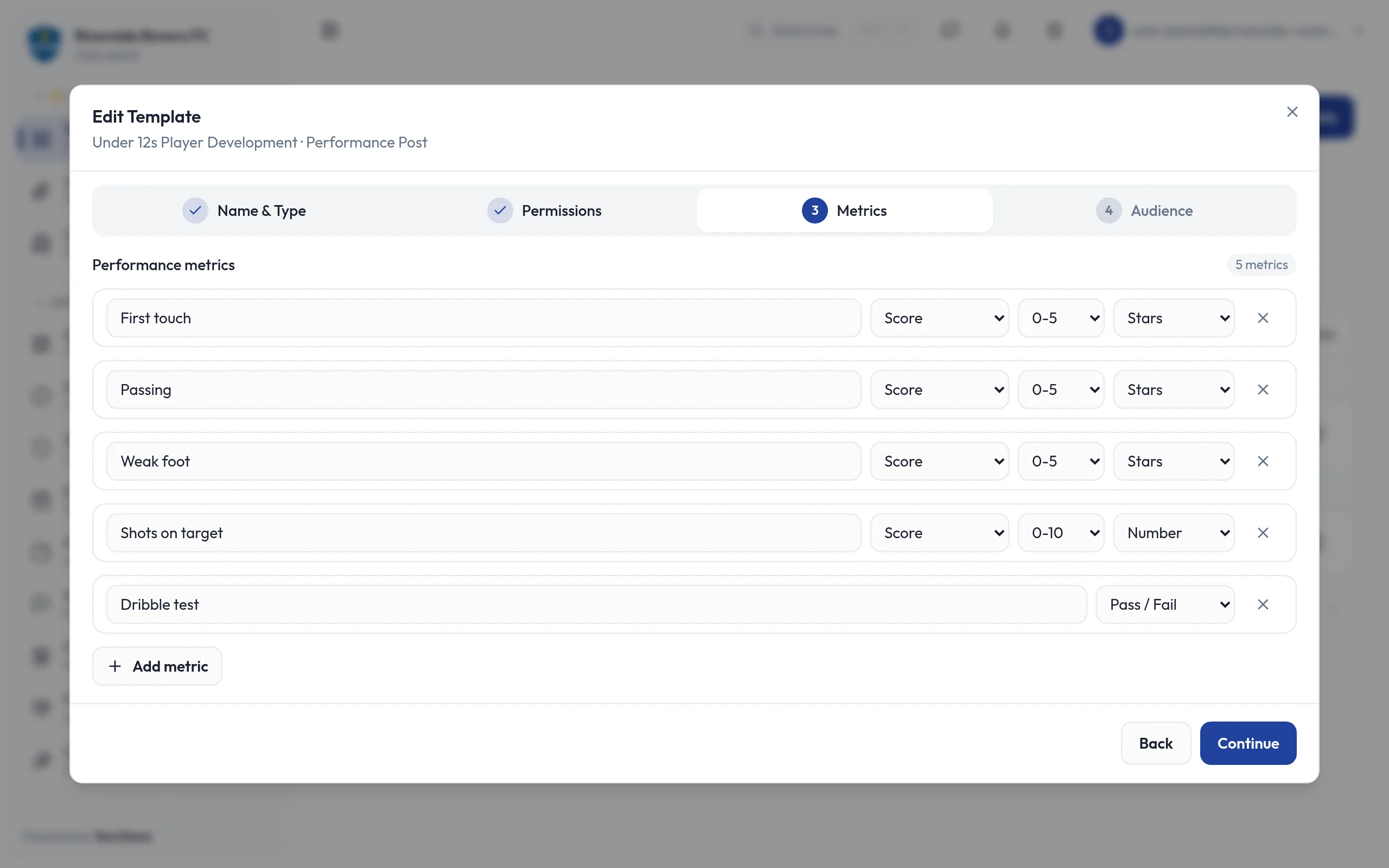
- Your own criteria: ratings, numbers, pass or fail
- Every save kept, so progress is easy to follow
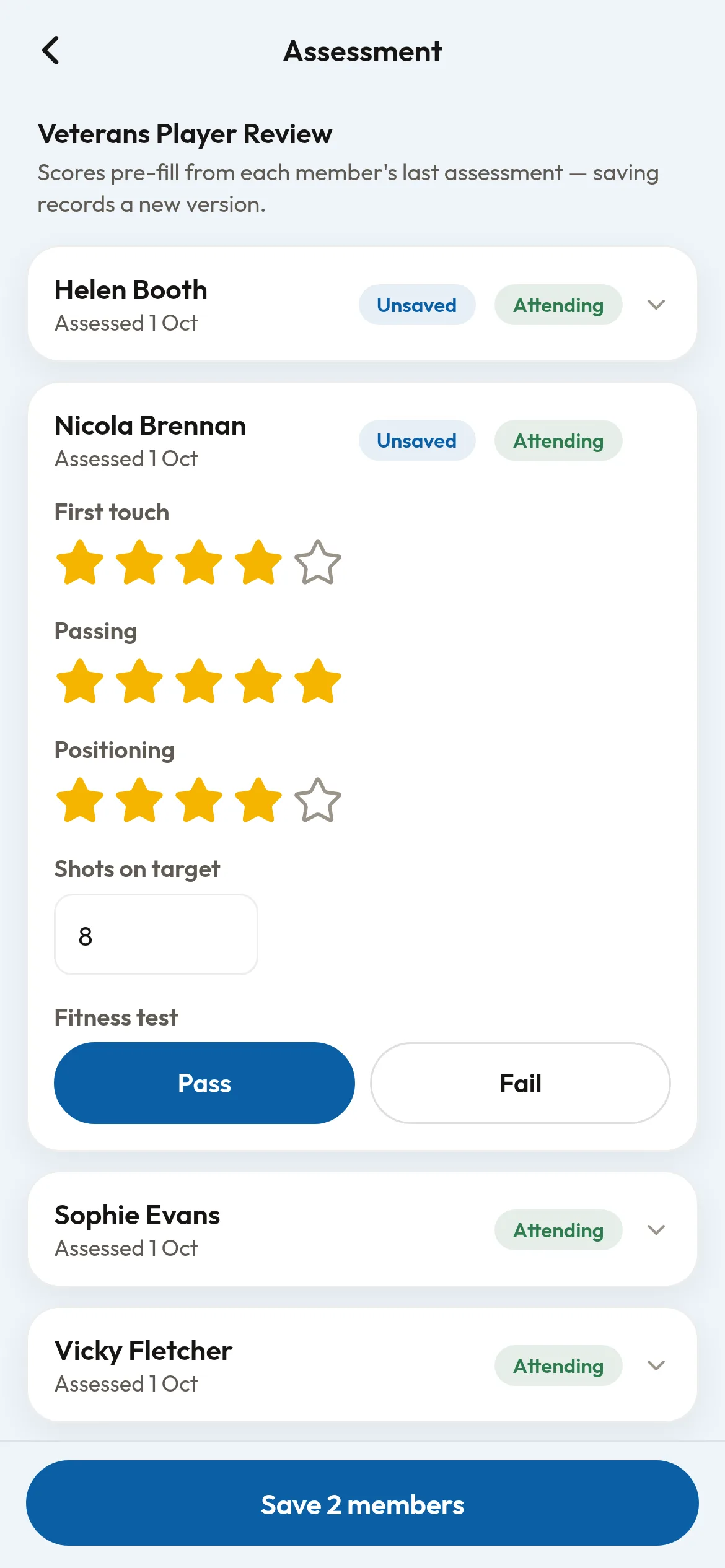
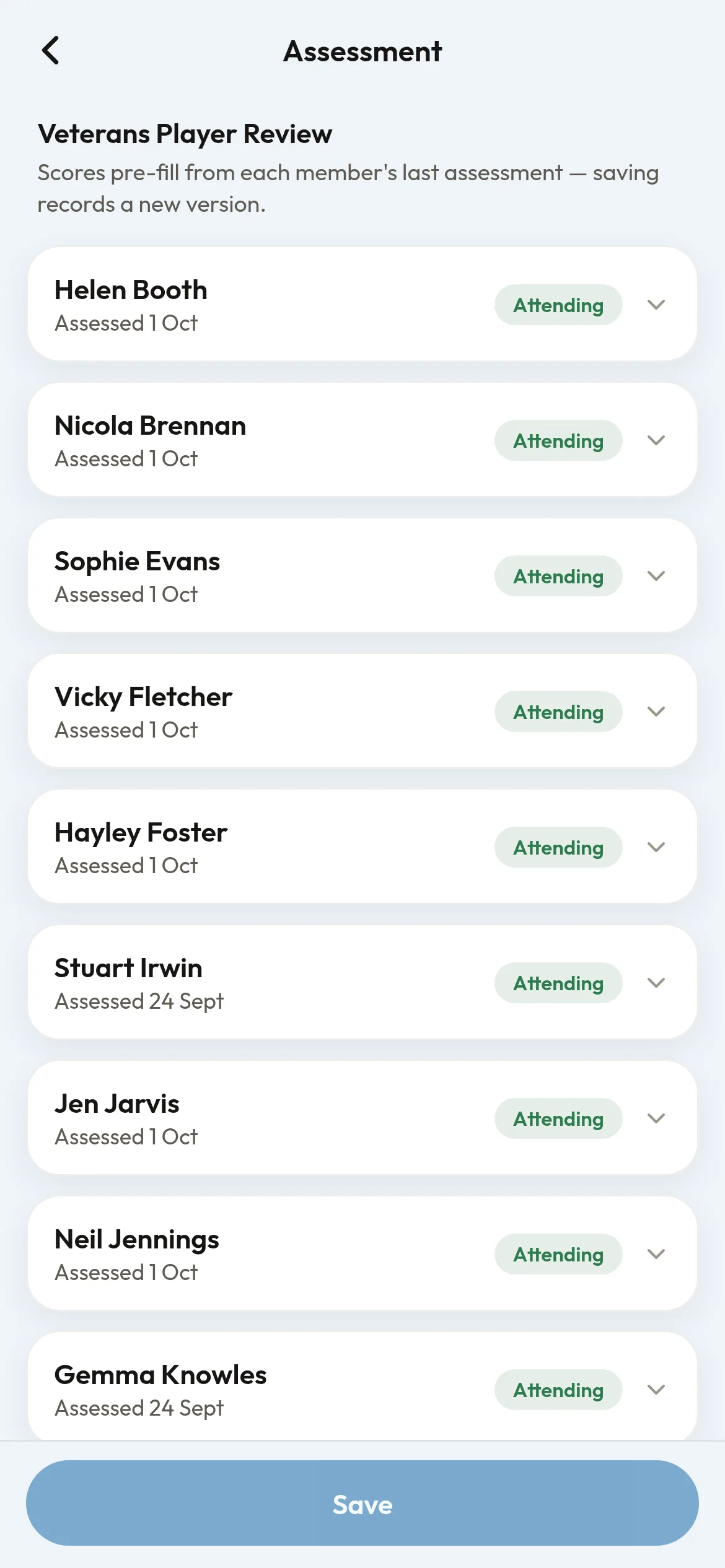
- Assess in the app, one learner at a time
- Feedback shared with the member and their guardians
Coaches watch every learner, every session. Assessment gives them a quick way to record what they see against the criteria your club uses, and to share it with each member and their guardians, without a pile of paper forms.
What you can do
- Set your own criteria in a template: star ratings and other scores, or pass or fail.
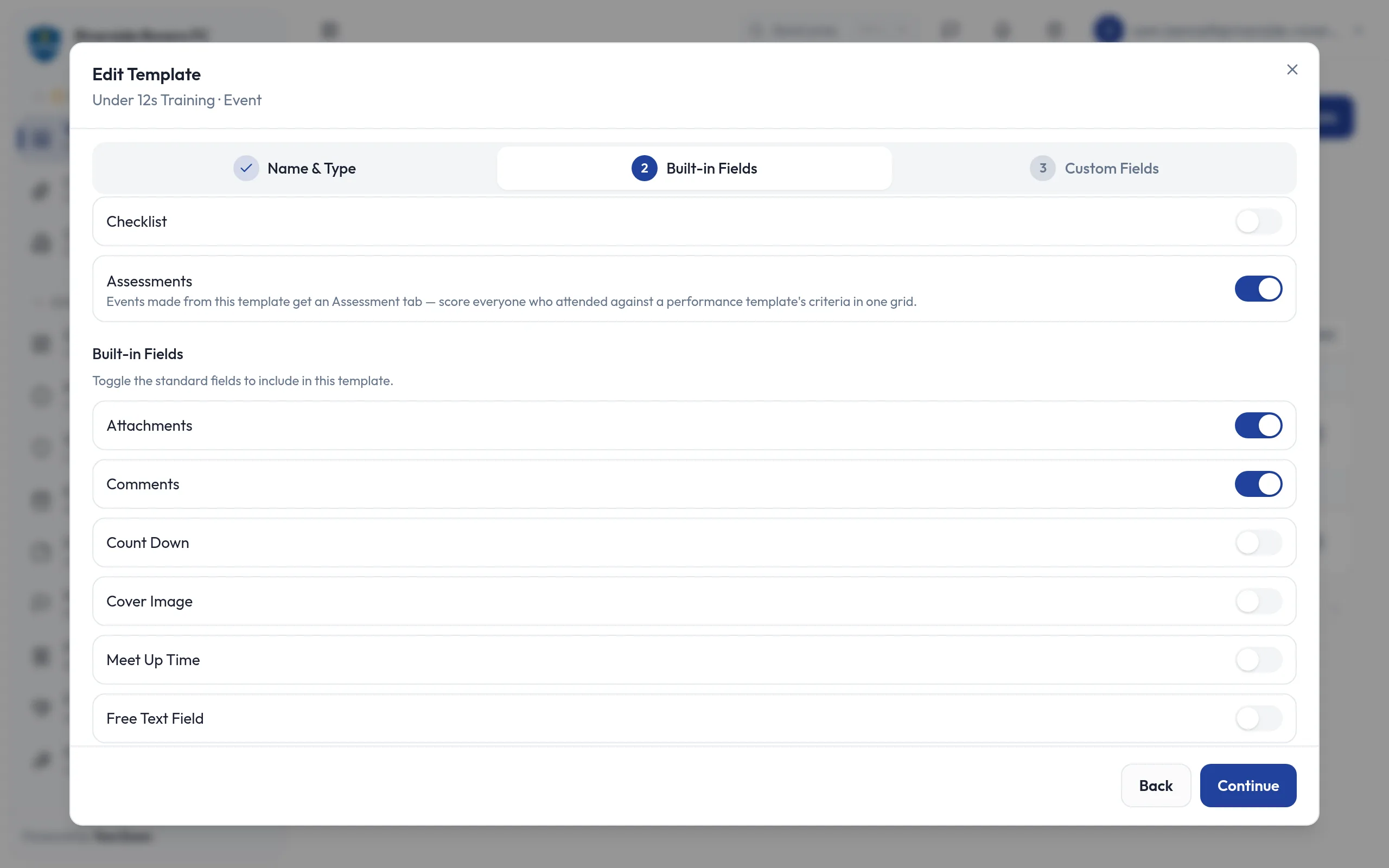
- Switch on assessments for an event template, and every session created from it gets an Assessment tab.
- Score everyone in one grid: members down the side, with those attending listed first, and your criteria across the top.
- Pick up where you left off: the next session starts from each member's latest answers, so you only change what has moved on.
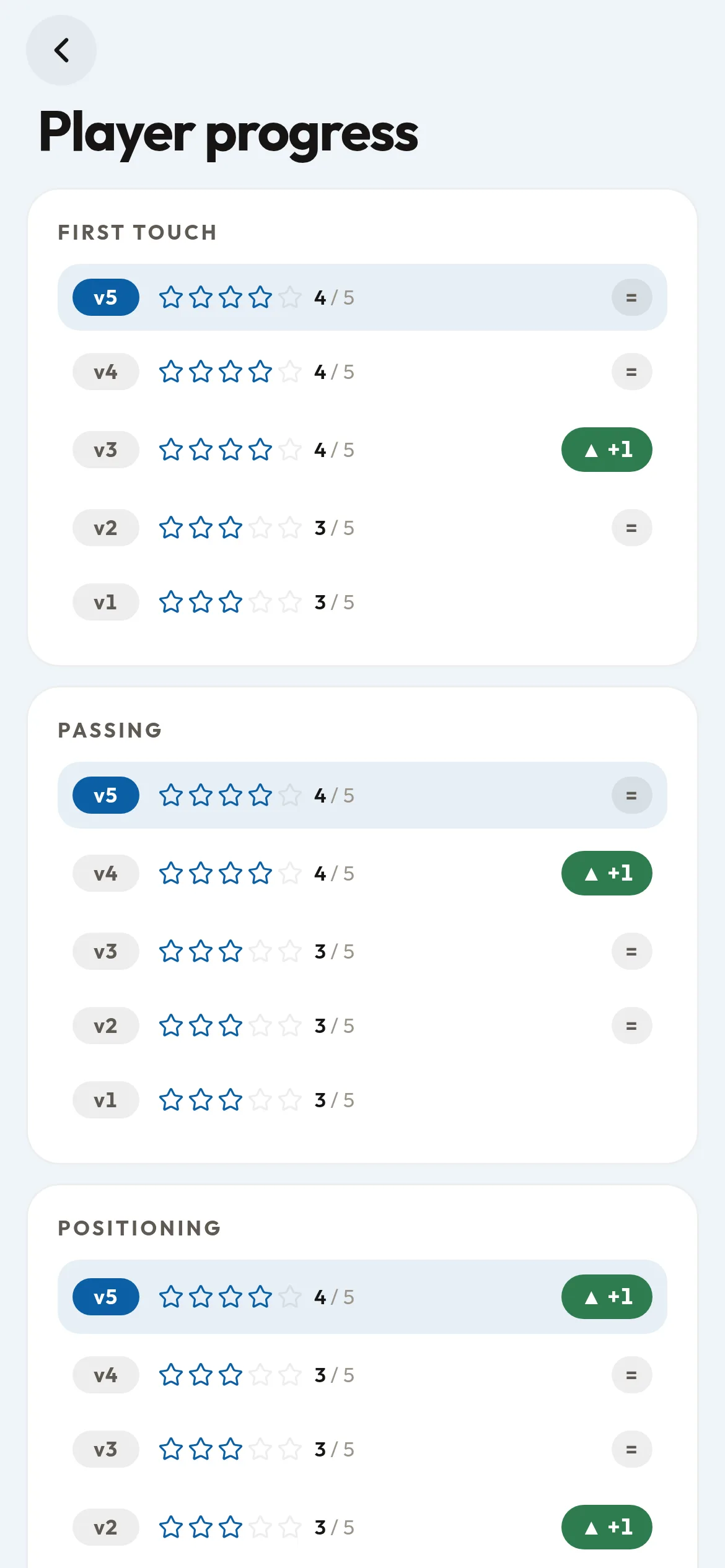
- Look back over the season: every save is kept as a new version, and each member's progress is there to see in the YourZown app.
- Assess poolside or pitch-side in the YourZown app, one learner at a time.
Good to know
- Each member's feedback is shared only with them and their guardians, who get a notification whenever a session updates it.
- Once a session has been scored, its assessment template cannot be swapped for another, so everyone in it is measured against the same one.
- Anyone who can edit an event can assess it.
Screens
Works with
- Event templates: switch assessments on in a template and every session made from it gets an Assessment tab.
- The YourZown app: coaches score pitch-side, and players and their parents see their progress.
Free while in beta
In beta: ask us for early access. Each player's feedback is shared only with them and their parents or guardians.