Chat Media

Share photos, short videos and documents in your club chats

For clubs and leaguesBeta
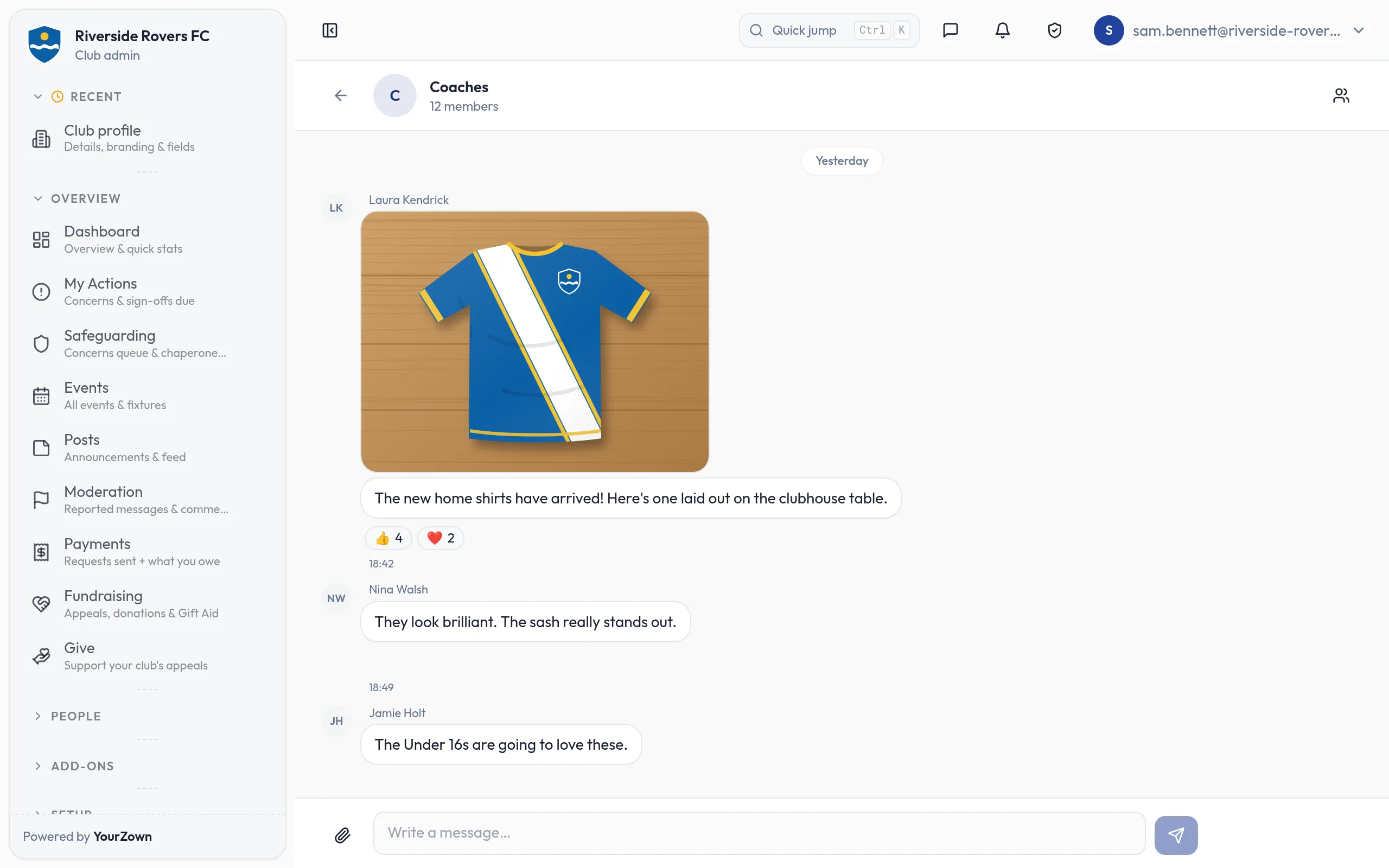
The Coaches group chat in the web admin: Laura Kendrick shares a photo of the club's new home shirt laid out on a table, with thumbs-up and heart reactions, and replies from two other coaches.

Highlights

  • Photos and short videos in club chats
  • PDF, Word, Excel and other documents
  • The same safeguarding rules as the chat itself
  • Only people in the chat can open what is shared
  • Uses your club's storage allowance

Some things are easier to show than to type: the new kit, a drawing of a set piece, the minibus timetable. Chat Media lets members share photos, short videos and documents in club chats, in the YourZown app and in the web admin.

What you can do

  • Take a photo from inside the chat, or pick photos and short videos from your phone's library.
  • Attach documents such as PDFs, Word and Excel files, CSV files and plain text.
  • Send several at once, and check them before they go.
  • Keep an eye on space: the Chat Media page in the web admin shows how much your club's chats are using.

Good to know

  • Attachments follow the same safeguarding rules as the chat itself.
  • Only people in the chat can open what is shared there, through links that expire quickly. Remove someone from a chat and they lose access too.
  • Deleting or hiding a message takes its attachments with it.
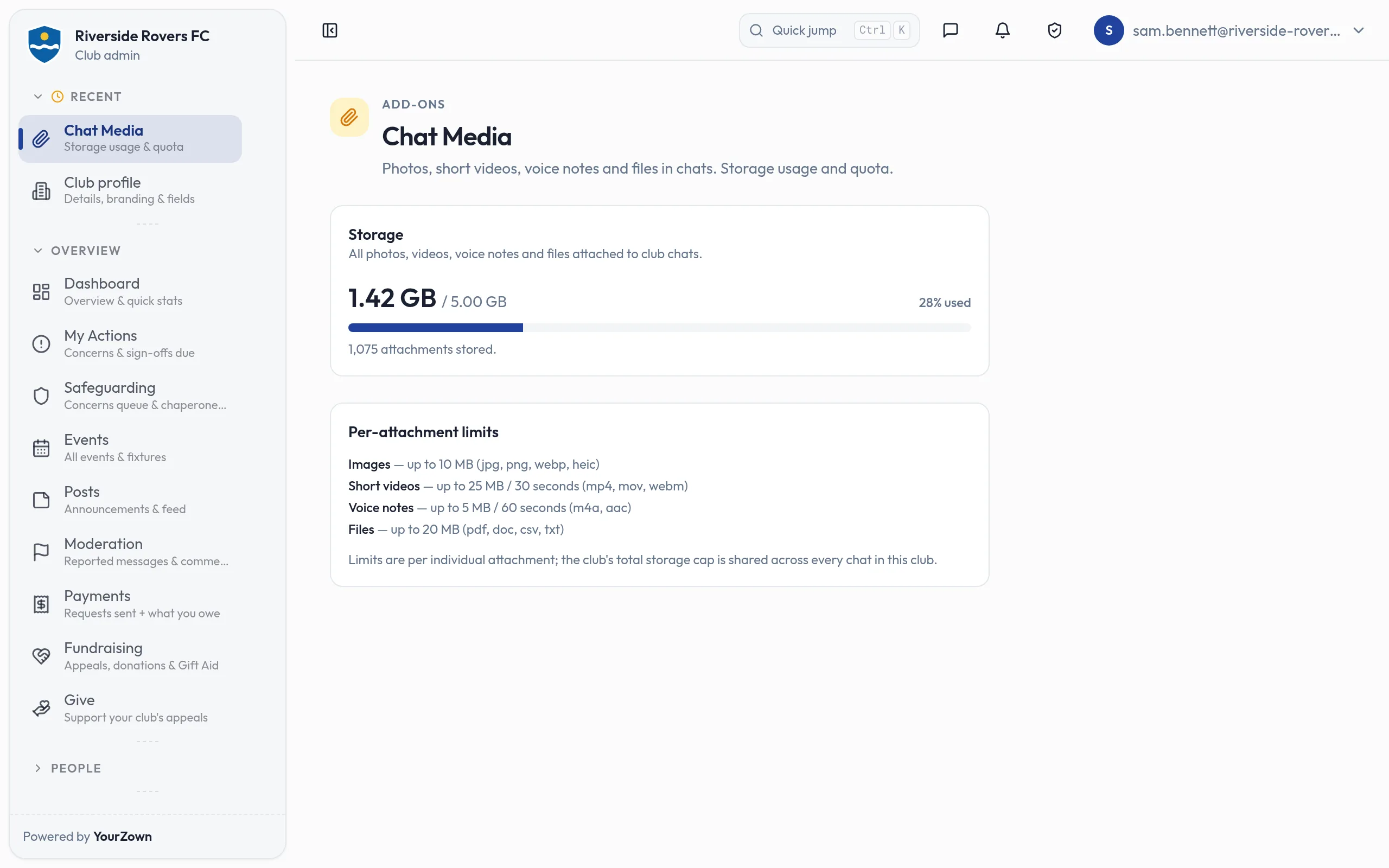
  • Each file can be up to 10 MB for a photo, 25 MB for a video and 20 MB for a document.
  • Files count towards your club's storage allowance. If you need more room, add a Storage power-up.

Screens
The Coaches group chat in the web admin: Laura Kendrick shares a photo of the club's new home shirt laid out on a table, with thumbs-up and heart reactions, and replies from two other coaches.
Share photos in your club chats, from the app or the web admin
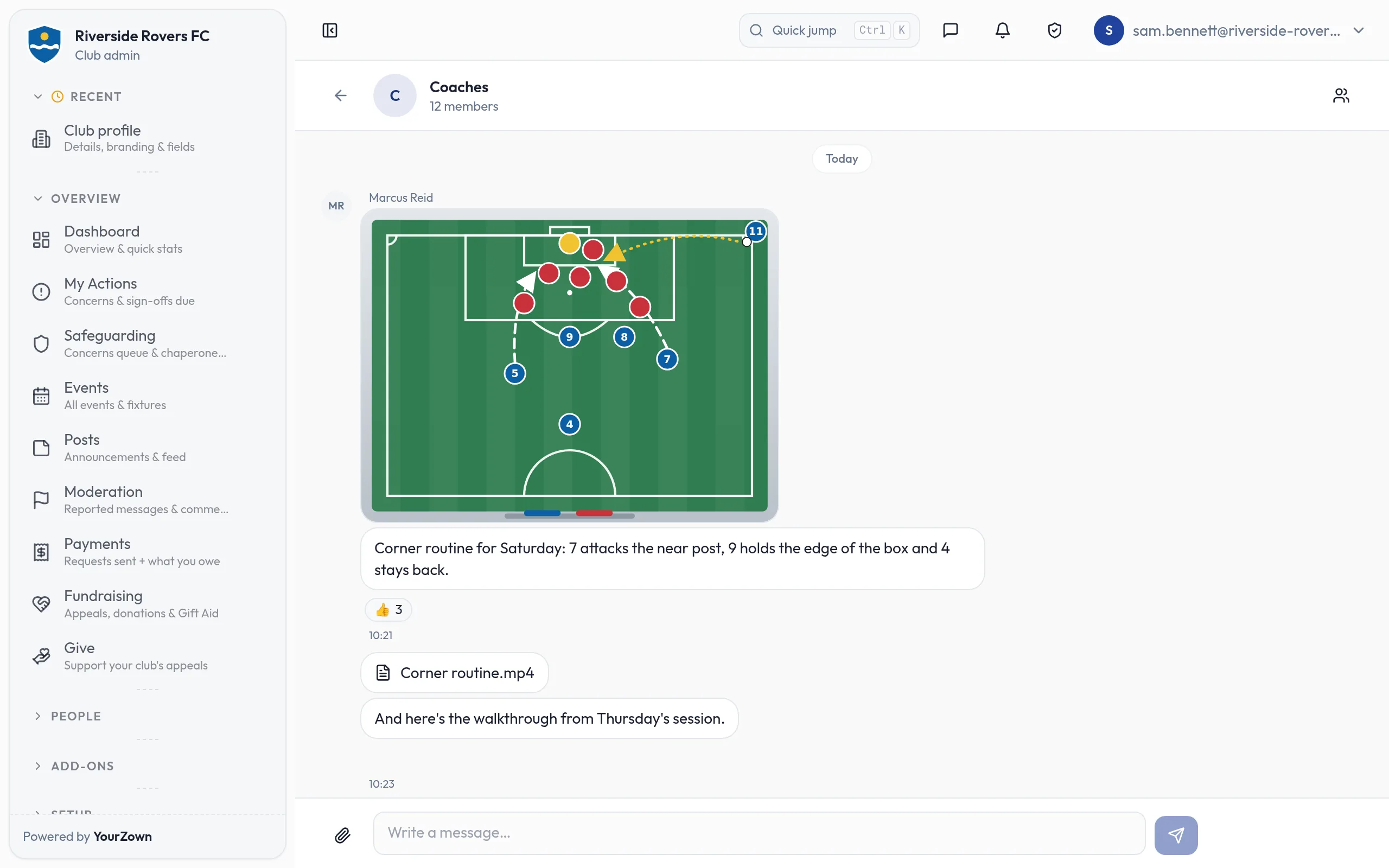
The Coaches chat today: Marcus Reid posts a picture of a tactics board drawn with a corner routine, with three thumbs-up reactions, then a short video file, Corner routine.mp4, with the walkthrough from Thursday's session.
Share a drawing of a set piece, with the video from training
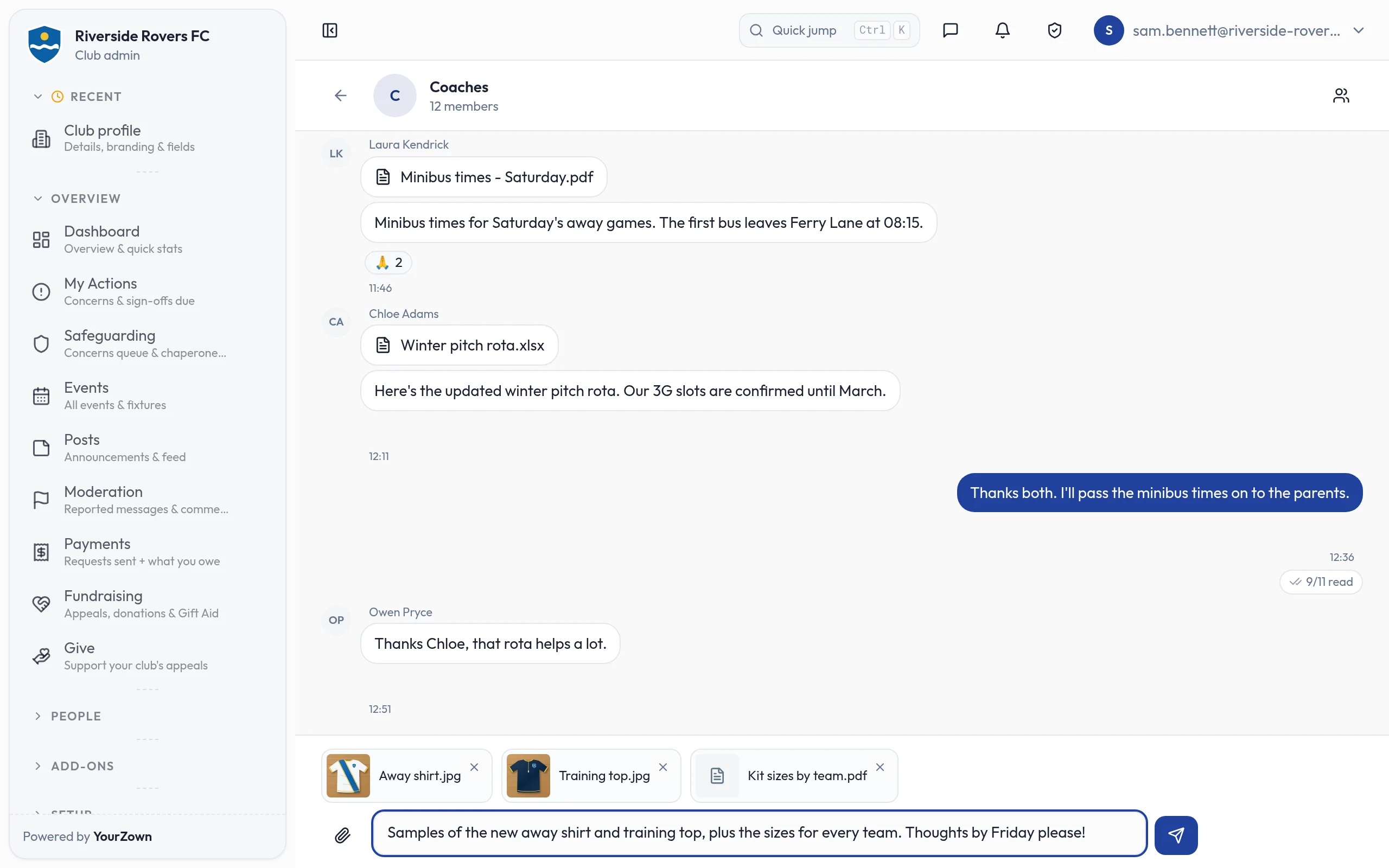
The Coaches chat: a minibus timetable PDF and a winter pitch rota spreadsheet shared today, a reply read by 9 of 11 members, and two photos and a PDF picked above the message box, each removable, with a message typed and ready to send.
Send photos and documents, several at once, and check them before they go
The Chat Media page: the club's chat attachments use 1.42 GB of its 5.00 GB storage allowance (28%), 1,075 attachments in all, with the size limits for photos, short videos, voice notes and files.
See how much of your club's storage its chats are using
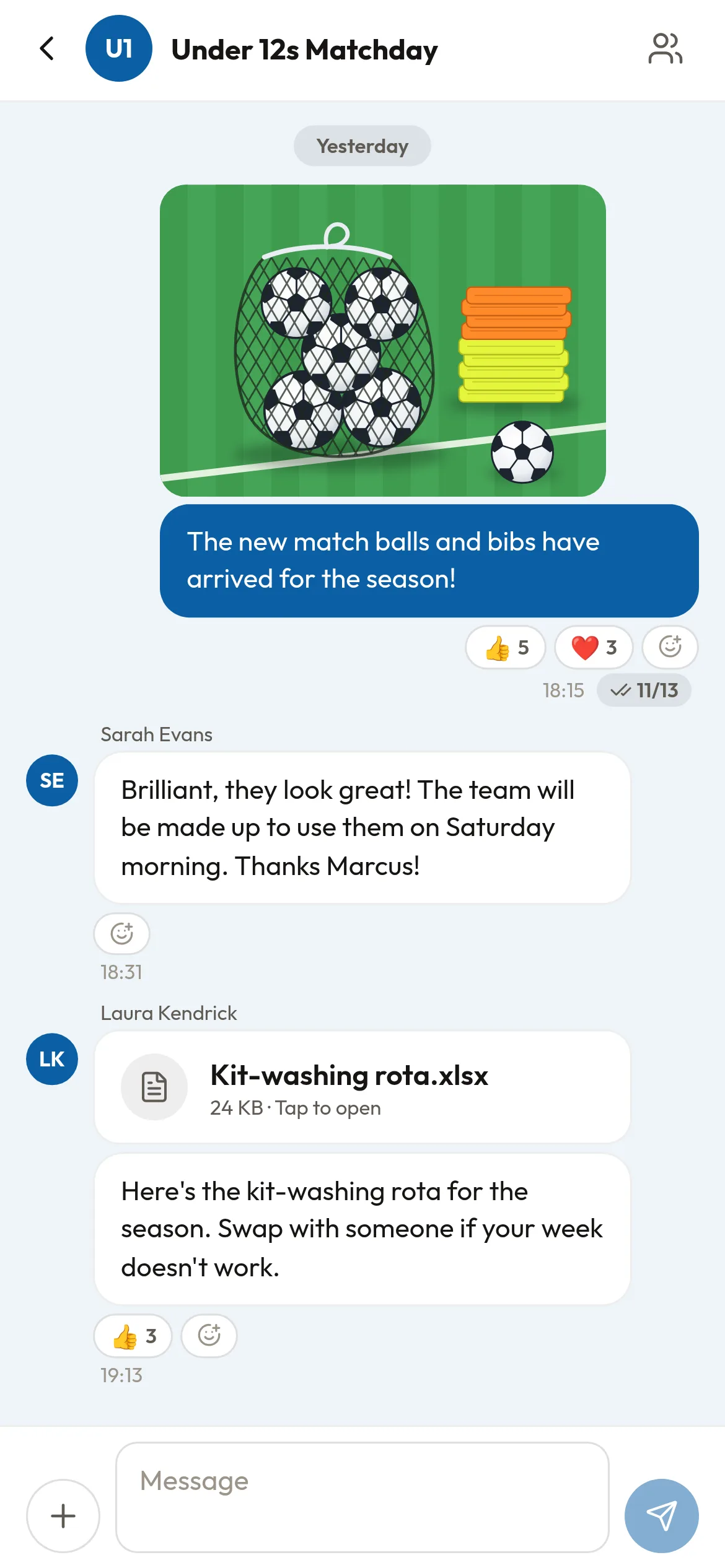
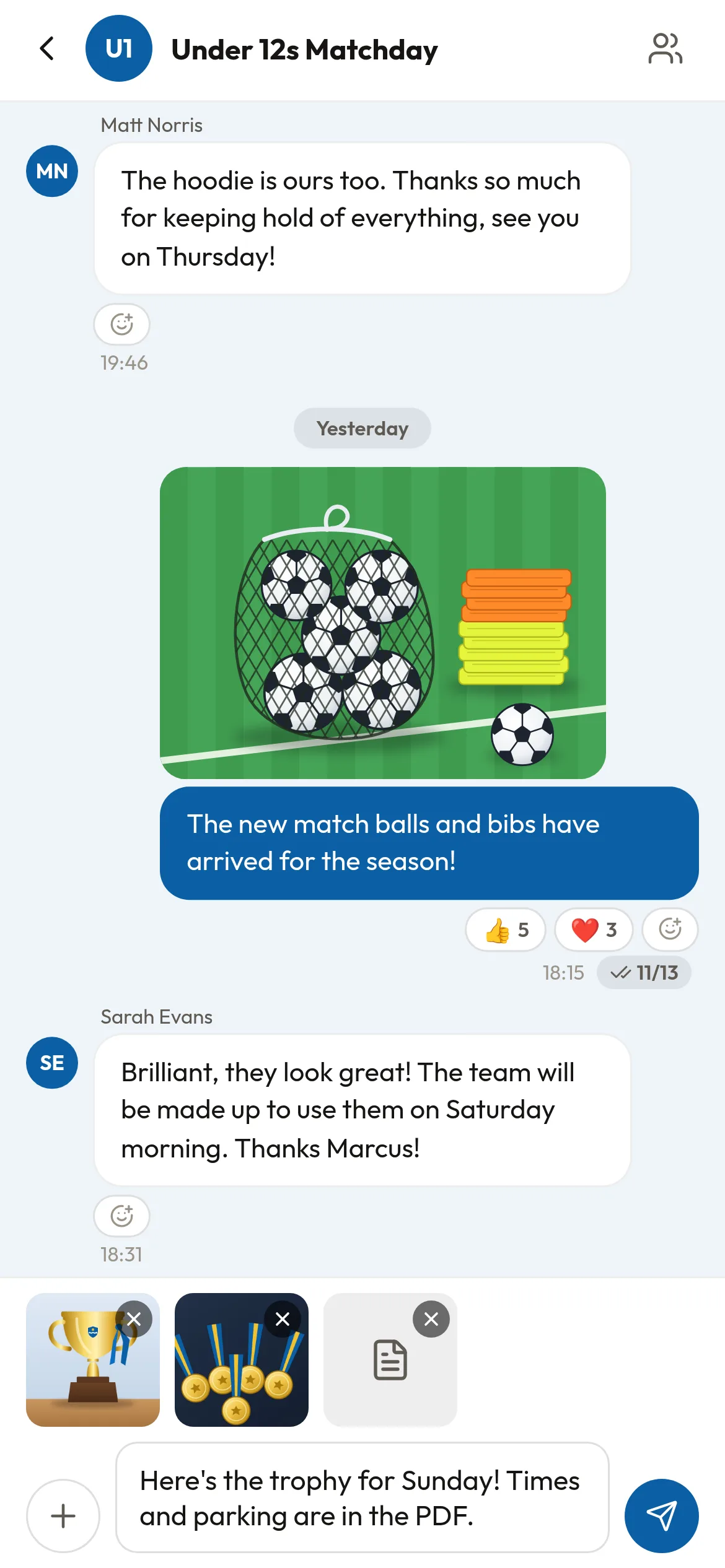
The Under 12s Matchday chat in the YourZown app: the coach's photo of the season's new match balls and bibs, with five thumbs-up and three heart reactions and read by 11 of 13, a parent's reply, and the team manager's kit-washing rota spreadsheet with its message.
Share photos and files in your team chats, straight from your phone
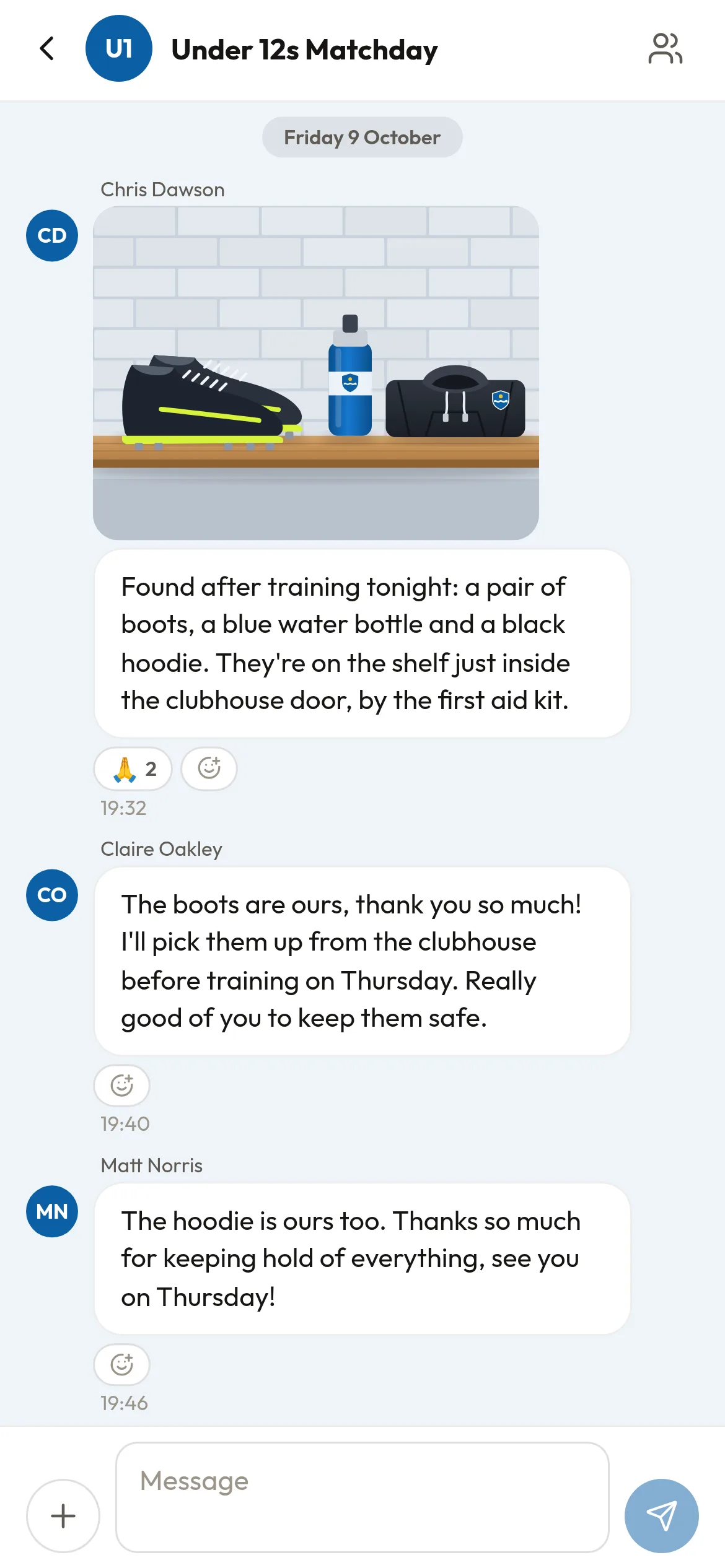
Earlier in the same chat: a parent's photo of lost property on the clubhouse shelf, a pair of boots, a blue water bottle and a black hoodie, with his message saying where they are, and two other parents replying that the boots and the hoodie are theirs.
Parents can share photos too, like lost property found after training
The coach about to send a message in the chat: two photos he has picked, a trophy and a set of medals, and a PDF wait above the message box, each with a button to remove it, with his message about Sunday's tournament typed and the send button ready.
Pick photos and files together, check them, then send them in one go

Works with

  • Club chat: attachments follow the same safeguarding rules as the chat they are shared in.

Free while in beta

In beta: ask us for early access. Only people in the chat can open what is shared there, through links that expire quickly.