Coach Payouts

Coaches collect payment requests straight into their own Stripe account

For clubs and leagues
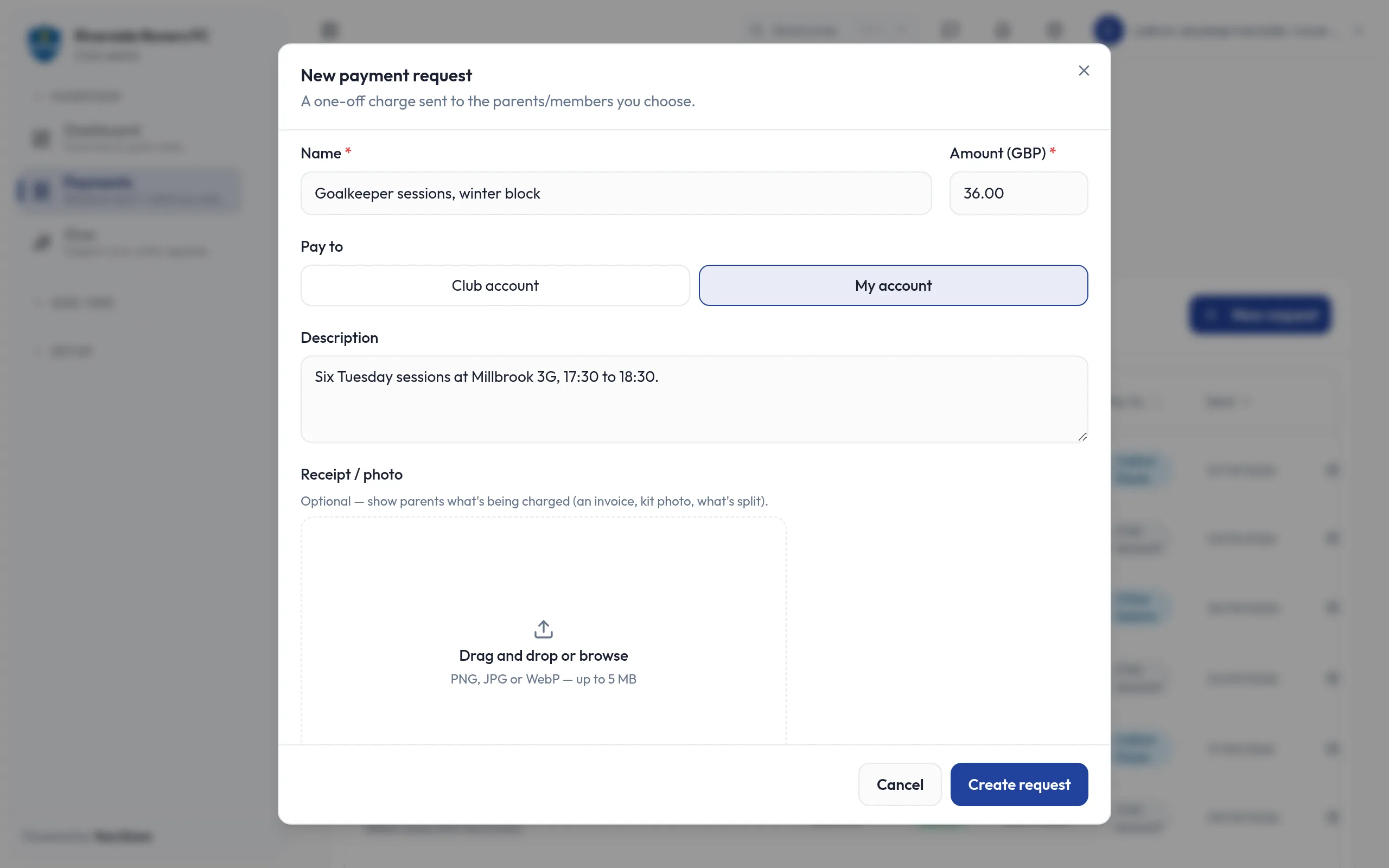
A coach's new payment request for winter goalkeeper sessions at £36.00: under Pay to, My account is chosen rather than Club account, with a description of the sessions.

Highlights

  • Payment requests paid straight to the coach
  • Members pay by card, just as before
  • Stripe checks each coach and holds their bank details
  • Set up from the web admin or the YourZown app

Some coaches run their own sessions, camps or one-to-one coaching through the club and need paying for them. Coach Payouts lets each coach connect their own Stripe account and choose, request by request, whether the money goes to the club or to them.

What you can do

  • Set up payouts through Stripe's own sign-up, from the web admin or the YourZown app.
  • Choose where the money goes: when raising a payment request, pick the club's account or your own.
  • Get paid directly: members pay by card as usual, and the money goes into the coach's Stripe account.
  • Check your balance: open your Stripe dashboard from the account menu in the web admin.
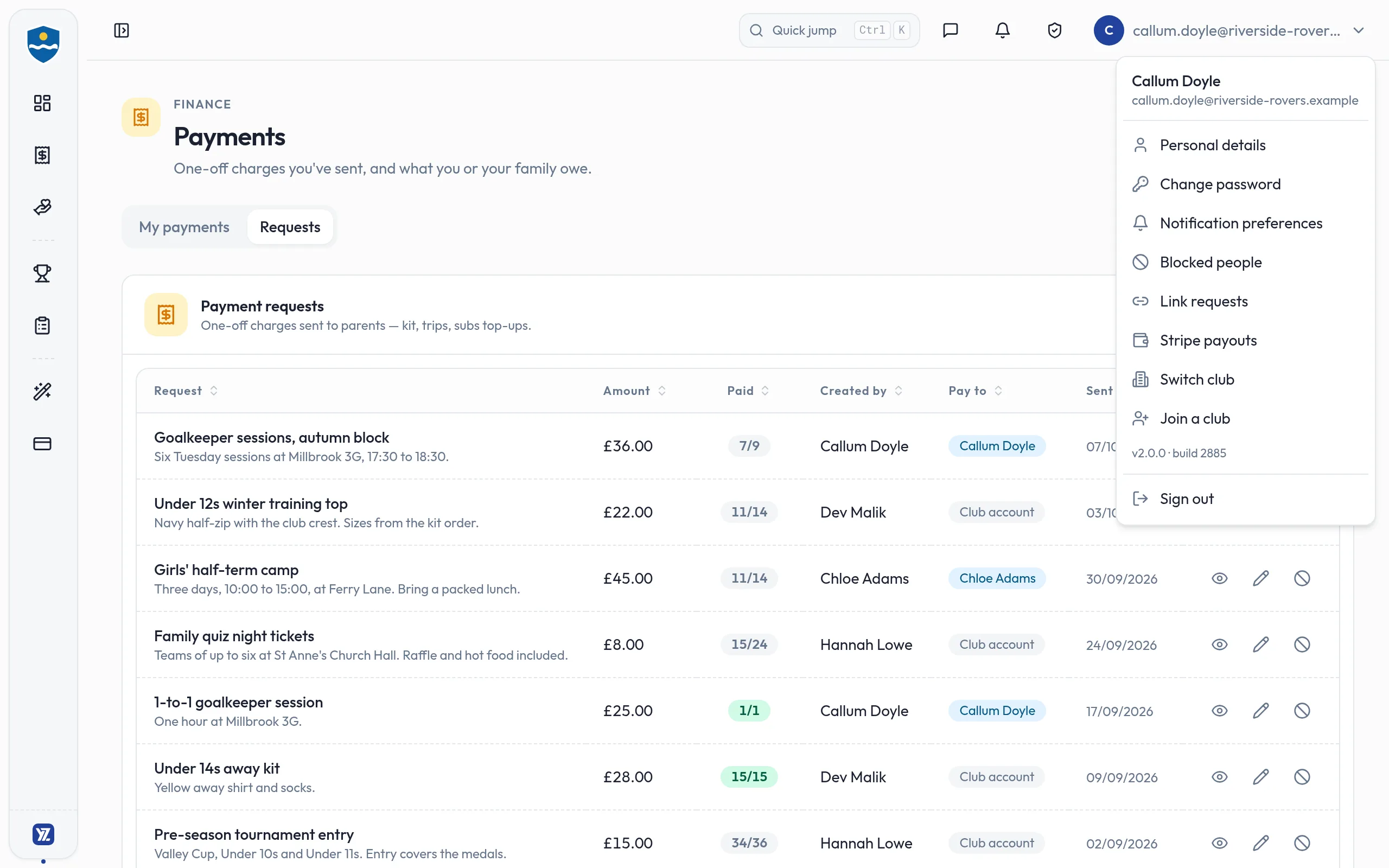
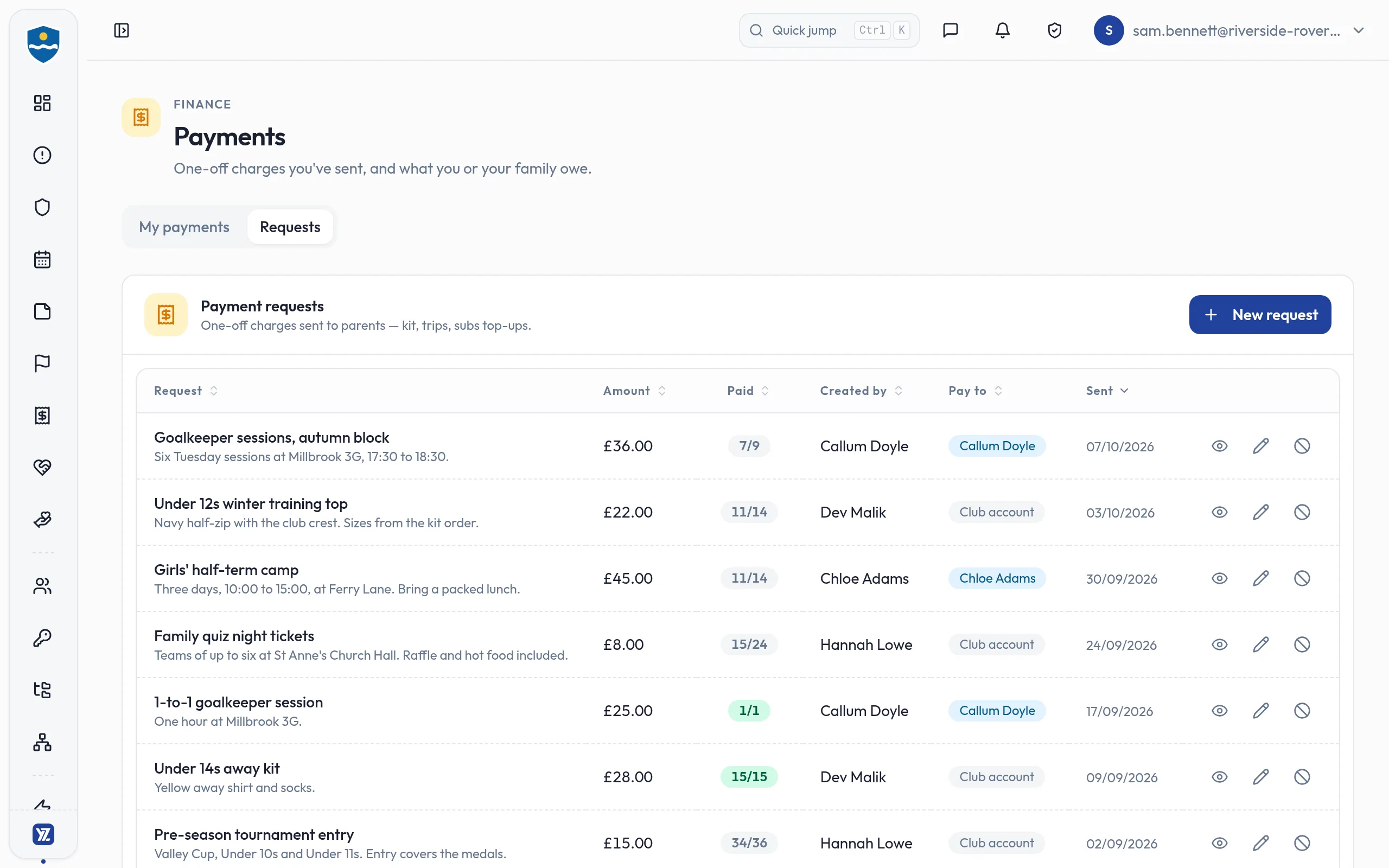
  • Keep the club in the picture: the payment requests list shows which requests are paid to a coach.

Good to know

  • Stripe checks each coach's identity and holds their bank details. YourZown never sees bank or card details.
  • Coaches raise payment requests once the club gives them the permission to take payments.
  • A request paid to a coach is managed by the coach who raised it.
  • Requests go to the club's account unless the coach chooses otherwise.

Screens
A coach's new payment request for winter goalkeeper sessions at £36.00: under Pay to, My account is chosen rather than Club account, with a description of the sessions.
Coaches choose, request by request, the club's account or their own
The club's payment requests: each with its amount, how many have paid, who created it and where the money goes. Goalkeeper sessions and the girls' camps are paid to the coaches who run them, Callum Doyle and Chloe Adams; kit and tickets go to the club account.
See at a glance which payment requests are paid to a coach
Callum Doyle's account menu open over the club's payment requests, with a Stripe payouts item that opens his own Stripe dashboard.
Coaches check their balance in their own Stripe dashboard, one click away
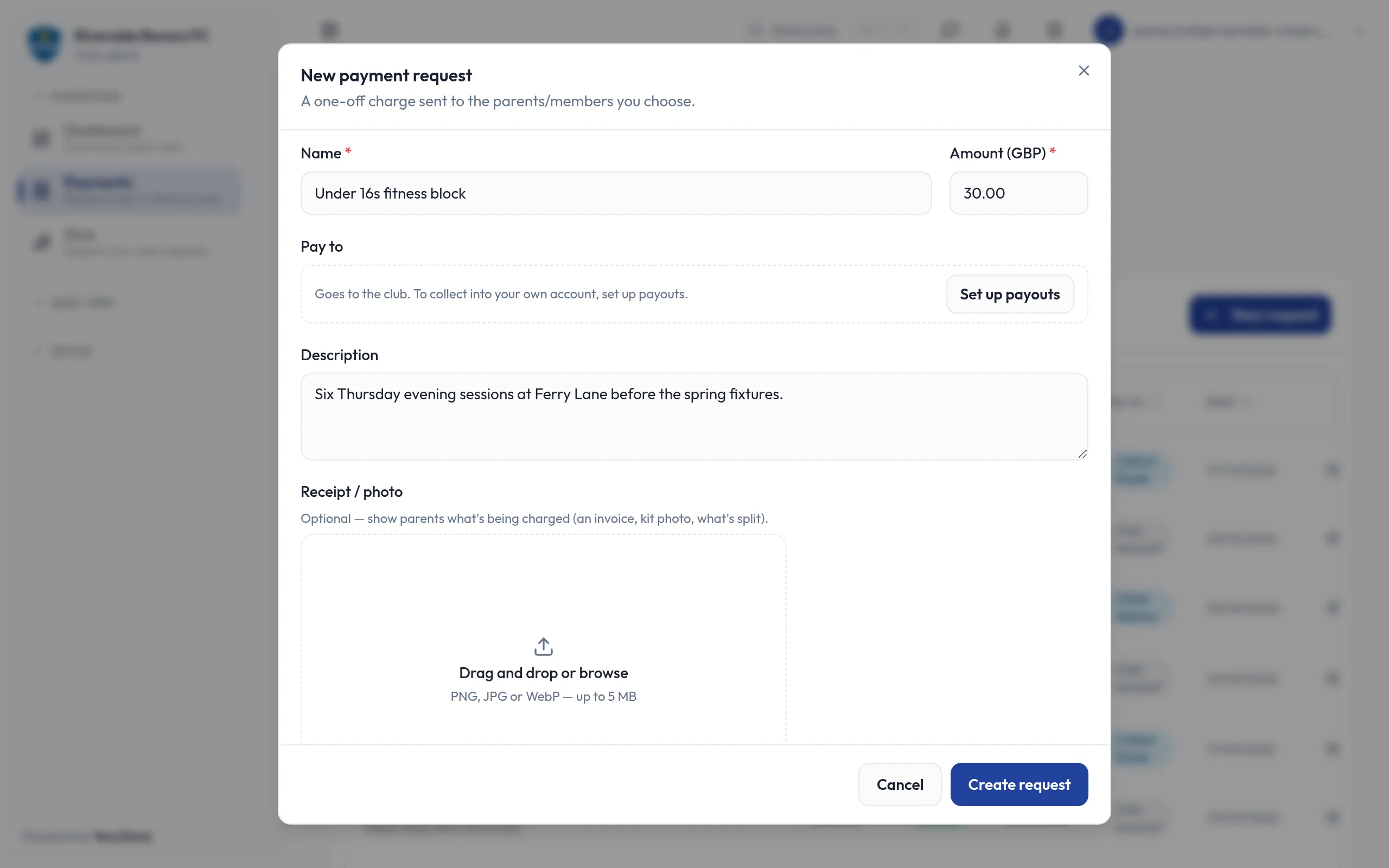
A coach who has not connected a Stripe account yet, drafting a payment request: under Pay to it reads "Goes to the club. To collect into your own account, set up payouts." beside a Set up payouts button.
A coach sets up payouts once, through Stripe's own secure sign-up
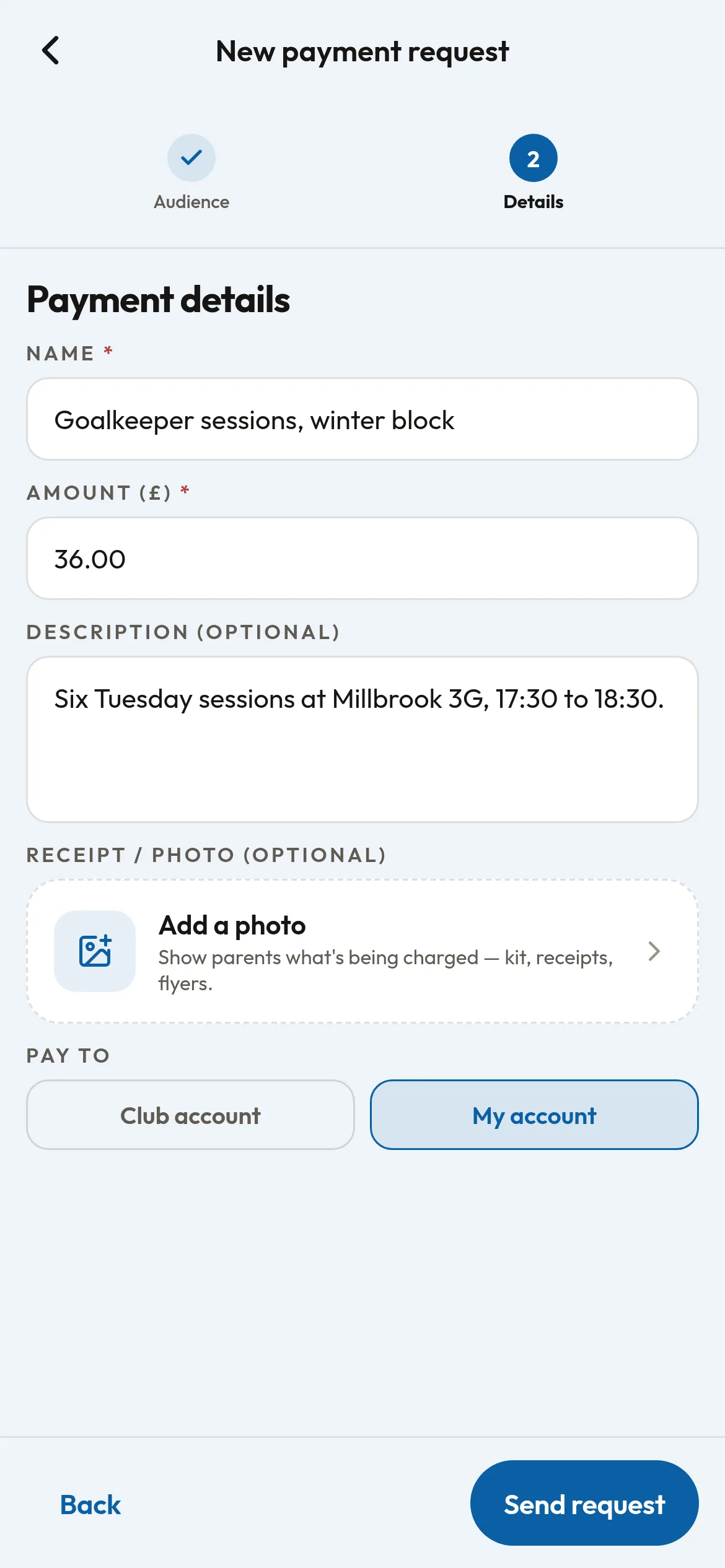
A coach's new payment request on the phone: Goalkeeper sessions, winter block, £36.00, six Tuesday sessions at Millbrook 3G from 17:30 to 18:30, with a box to add a photo. Under Pay to, My account is chosen rather than Club account, above the Send request button.
Coaches charge for their sessions from the phone, paid into their own account
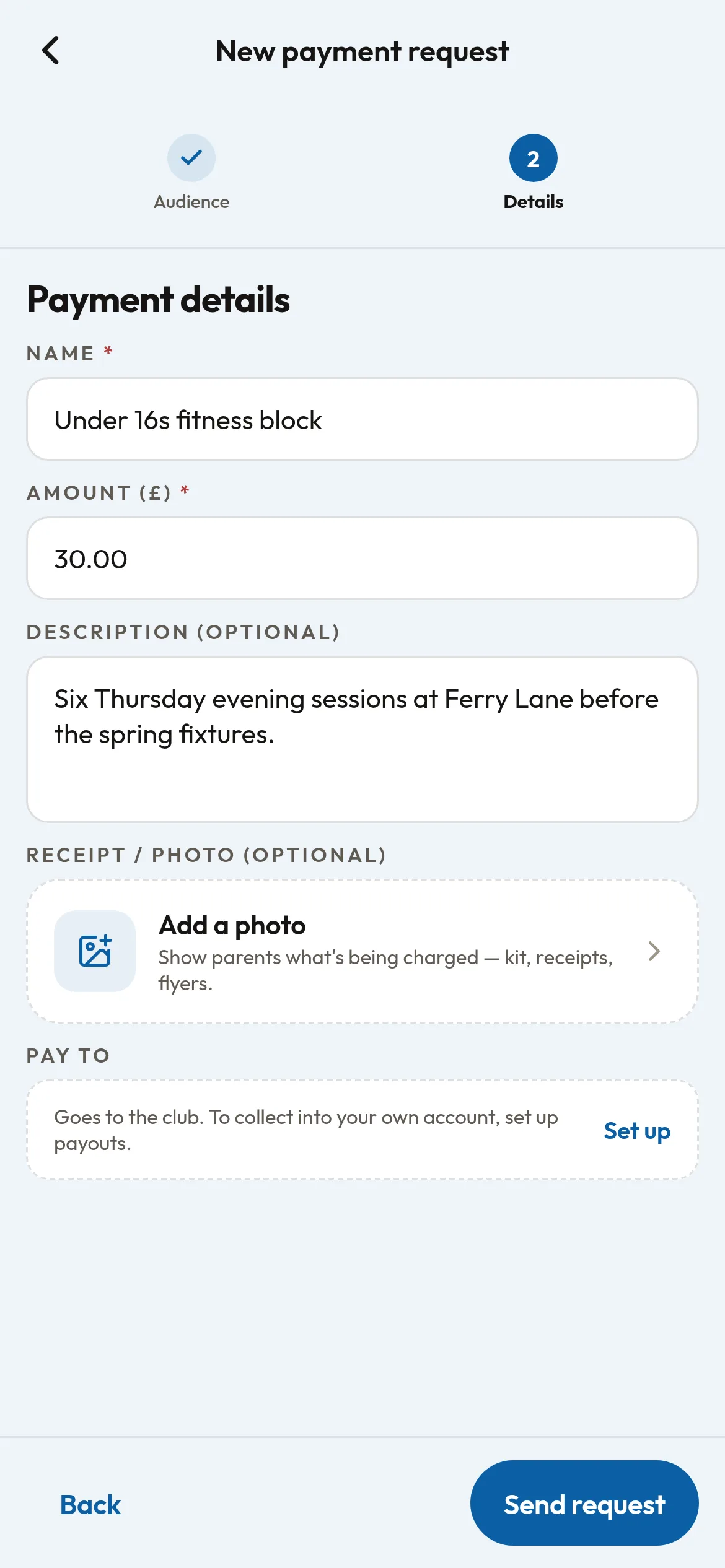
A coach who has not set up payouts yet, drafting an Under 16s fitness block at £30.00 on the phone: under Pay to it reads "Goes to the club. To collect into your own account, set up payouts." beside a Set up link, above the Send request button.
Until a coach sets up payouts, the money from their requests goes to the club

Works with

  • Payment requests: coaches raise them as usual and pick the club's account or their own.
  • Payments permission: a coach can raise requests once the club gives them permission to take payments.

Free

Ask us to switch it on. Stripe checks each coach's identity and holds their bank details; YourZown never sees them.