Inventory

Every cone, kit bag and defibrillator, and who has it right now

For clubs and leaguesBeta
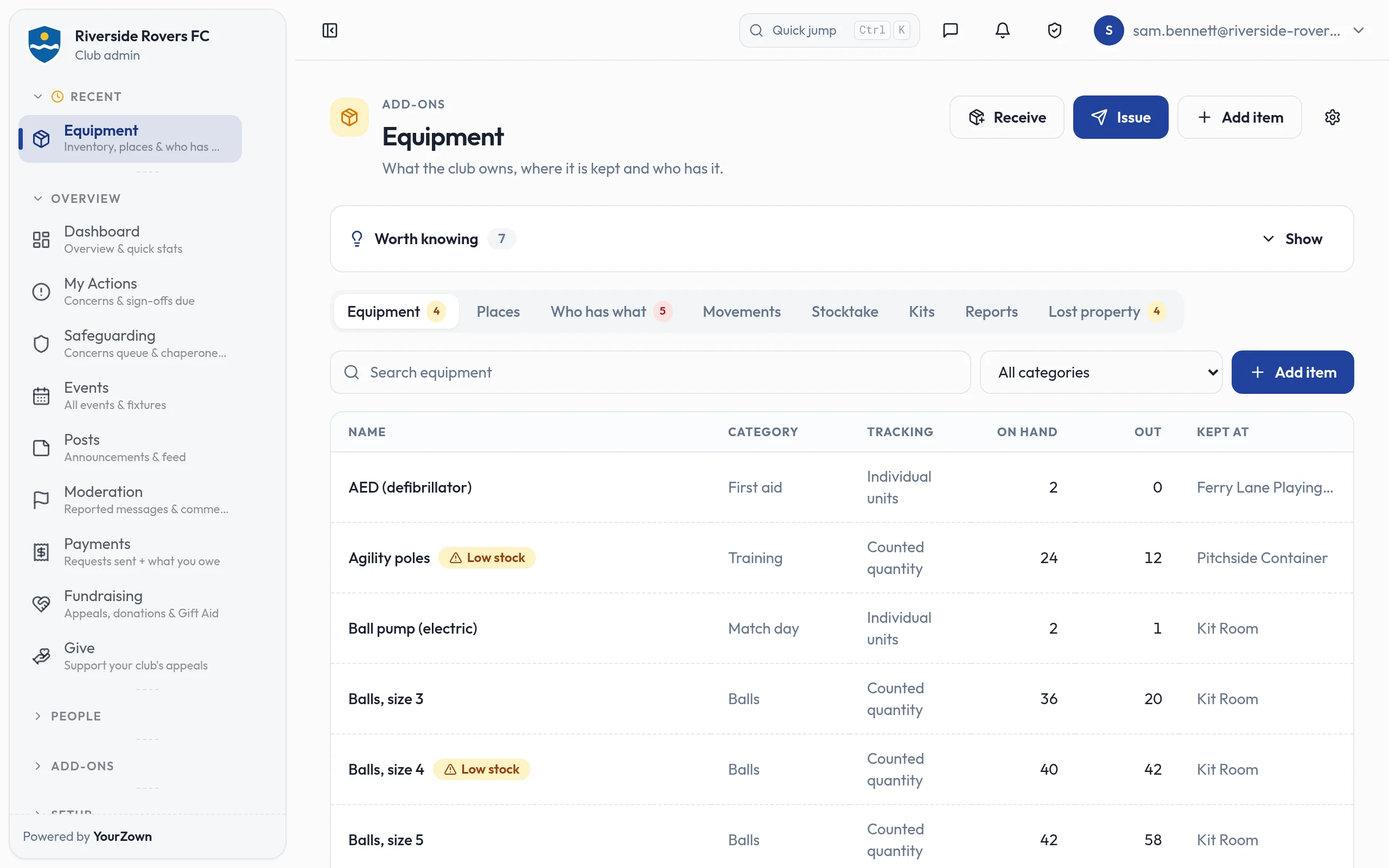
The Equipment list for Riverside Rovers FC: each item with its category, whether it is tracked as individual units or counted, how many are on hand and out with members, and where it is kept. "Agility poles" and "Balls, size 4" are flagged as low on stock.

Highlights

  • Every item, where it is kept and who has it
  • QR labels you can scan with the phone's camera
  • Due-back reminders and low-stock alerts
  • Members see and hand back their kit in the app
  • An asset register ready for your insurer

Club equipment lives everywhere: the container behind the pitch, the van, the treasurer's garage, a coach's car boot. Inventory gives you one record of what the club owns, where each thing is kept and who has it, so nothing quietly walks off at the end of the season.

What you can do

  • Map your places as they really are: sites, buildings, rooms, stores, containers and vehicles, nested inside each other.
  • Track equipment your way: give valuable items their own asset tag, simply count things like cones and bibs, and get a low-stock alert when supplies run down.
  • Issue equipment to coaches, members and children with a due-back date, and check it in on its return. Reminders go out before the date and again if it is overdue.
  • Print QR labels and scan them with the phone's camera in the Equipment store, or just type the tag.
  • Bundle kits, such as a session bag of cones, bibs and balls, issue them in one go, and give an event template a pack list.
  • Stay on top of it with stocktakes, a lost property list, deposits, and lending to clubs you are connected with.
  • Hand your insurer an asset register as a PDF, with a history of every movement behind it.

Good to know

  • Members see what they hold under My equipment in the YourZown app and can hand it back from there. Guardians see their children's.
  • Give your storekeeper permission to issue and return equipment without making them a club admin.
  • If someone leaves the club with equipment still out, you are told.
  • It works for leagues too: match balls and respect barriers are equipment.

Screens
The Equipment list for Riverside Rovers FC: each item with its category, whether it is tracked as individual units or counted, how many are on hand and out with members, and where it is kept. "Agility poles" and "Balls, size 4" are flagged as low on stock.
Every item the club owns, where it is kept and how many are out
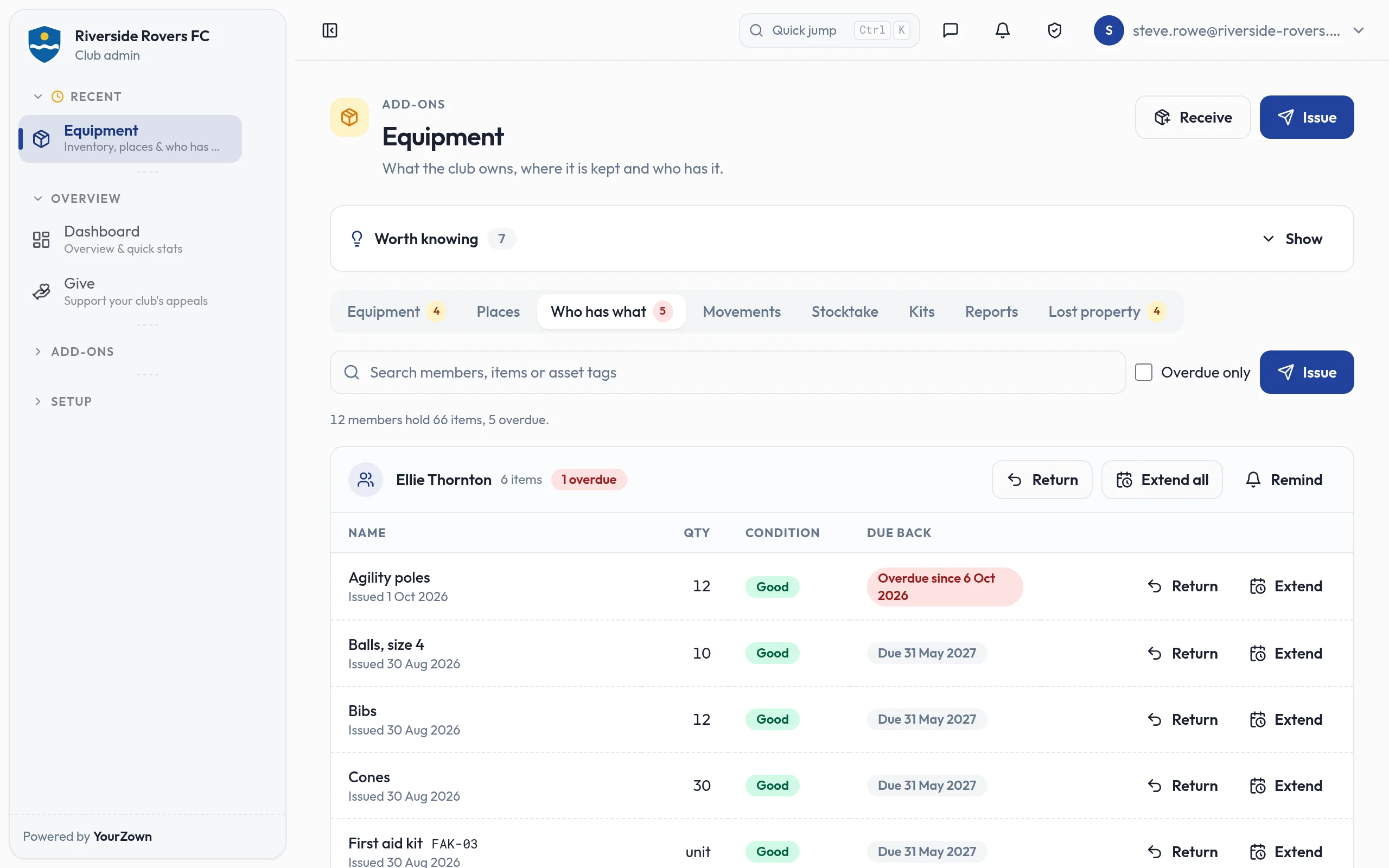
The Who has what tab, as the club's kit manager sees it: 12 members hold 66 items, 5 overdue. Ellie Thornton's equipment is listed with quantities, condition and due-back dates, one item marked overdue, with Return, Extend and Remind buttons.
See who has what, with due-back dates and overdue kit flagged
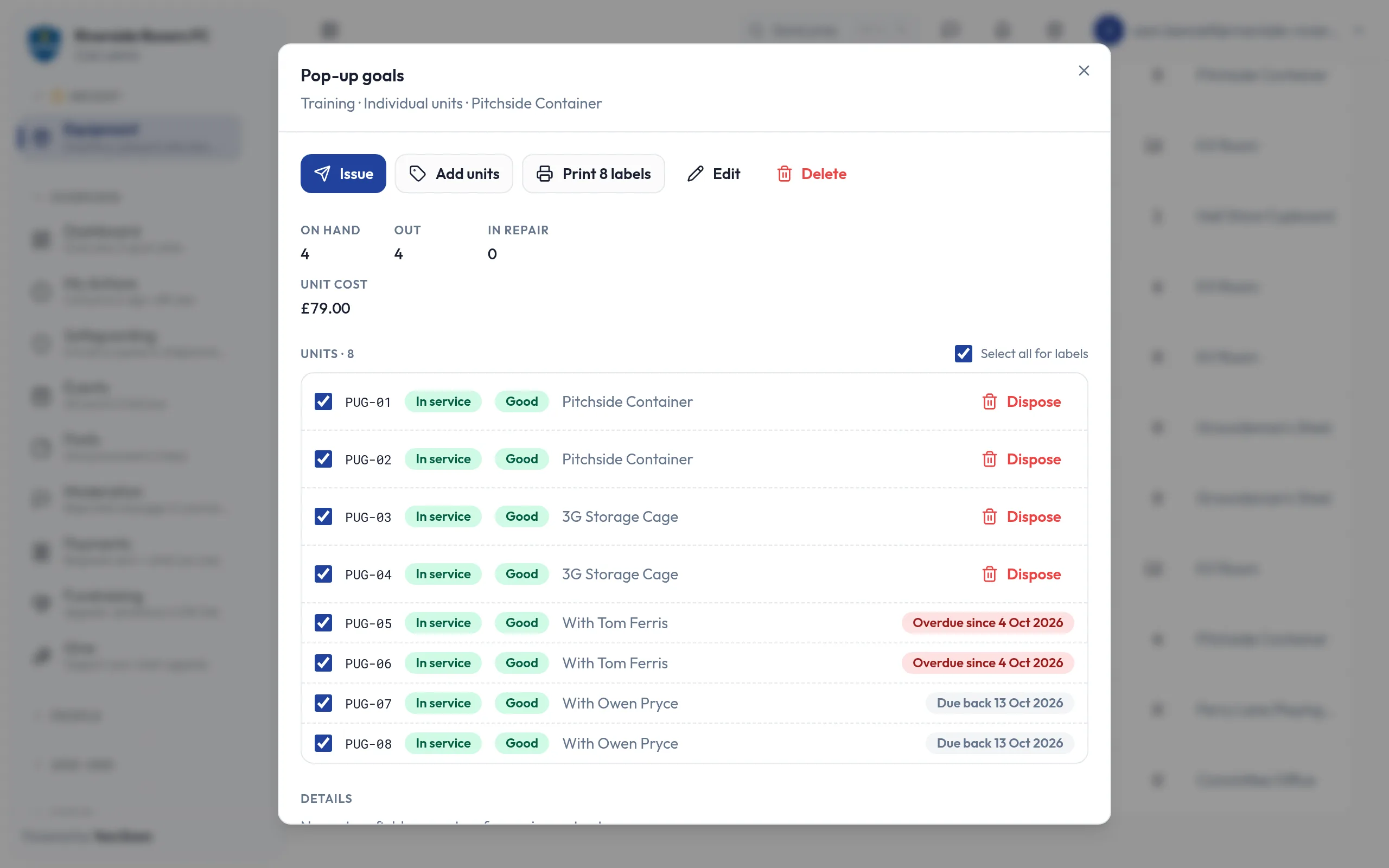
The Pop-up goals item: its eight units by asset tag, each with its condition and where it is: two at the pitchside container, two in the 3G storage cage, two overdue with Tom Ferris, two with Owen Pryce due back in two days. All eight are ticked, under a Print 8 labels button.
Tag valuable kit, print QR labels and see where each one is
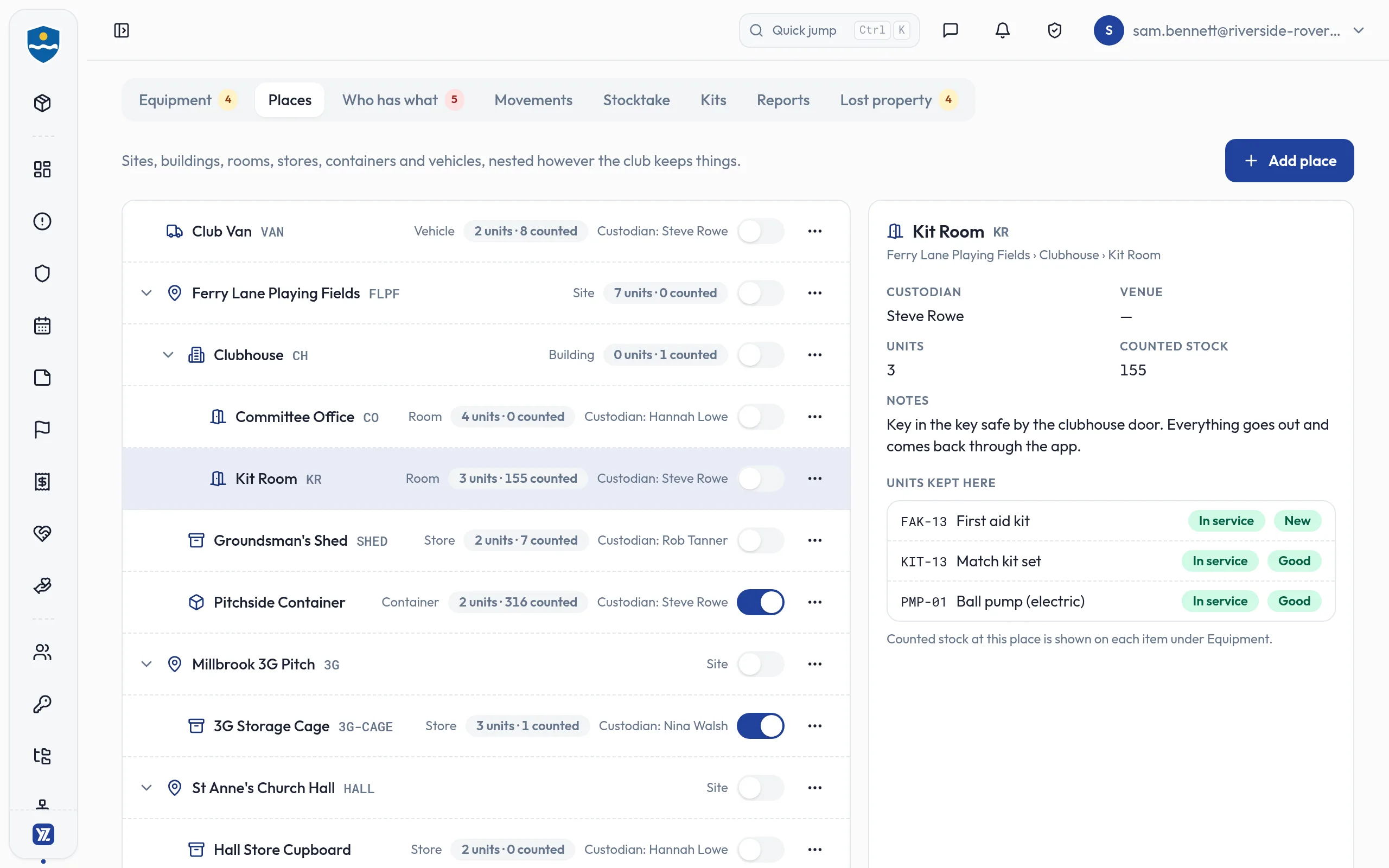
The Places tab: the club van, then each site with what sits inside it, from the clubhouse's committee office and kit room to a shed, a pitchside container, a 3G storage cage and a church hall cupboard, each with its custodian and what it holds. The Kit Room's details are open alongside.
Map grounds, containers, cupboards and the club van, nested as they are
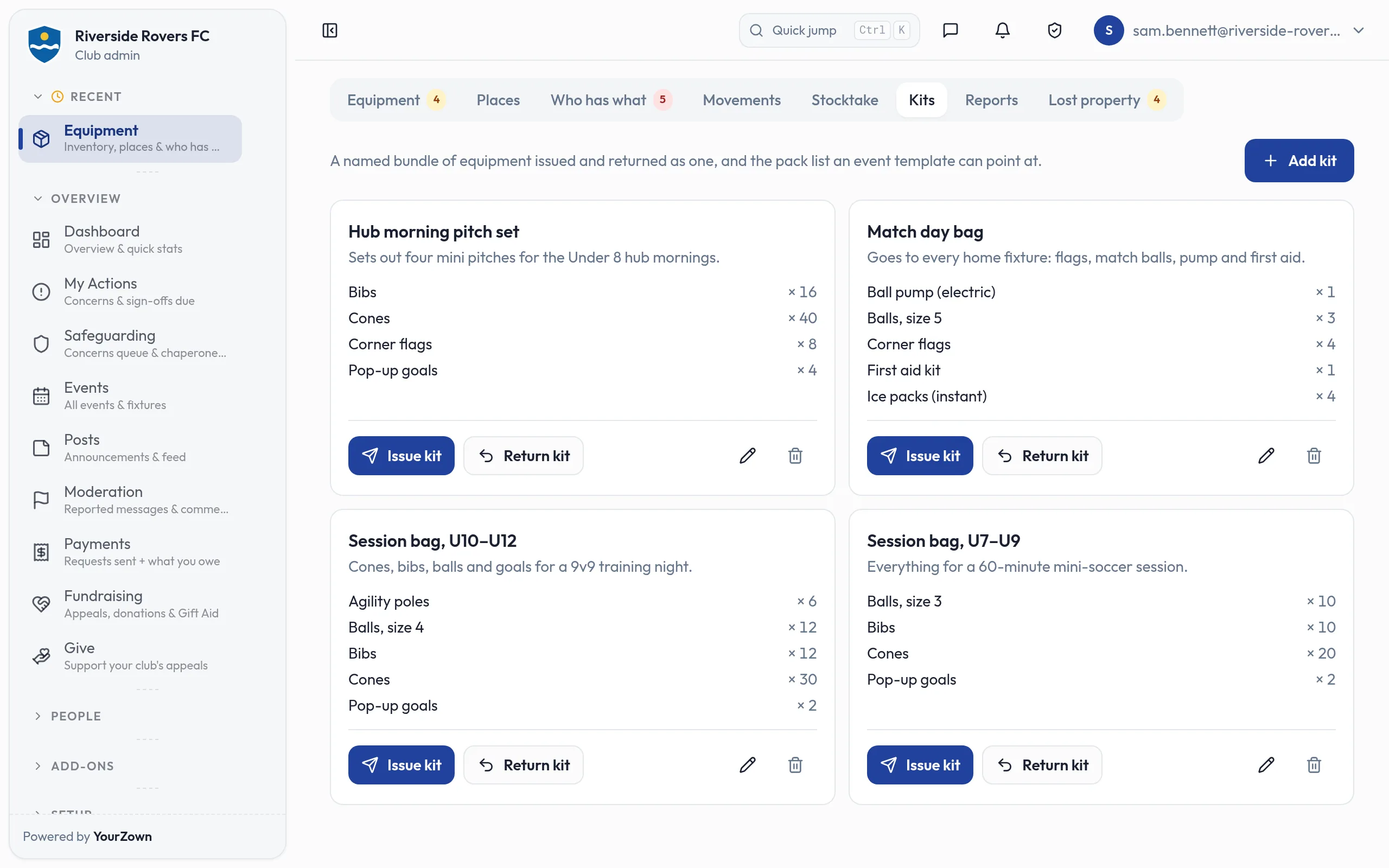
The Kits tab: four kits, each listing what goes in it with quantities: a hub morning pitch set, a match day bag, and session bags for under 10s to 12s and under 7s to 9s, each with Issue kit and Return kit buttons.
Bundle cones, bibs and balls into kits and issue them in one go
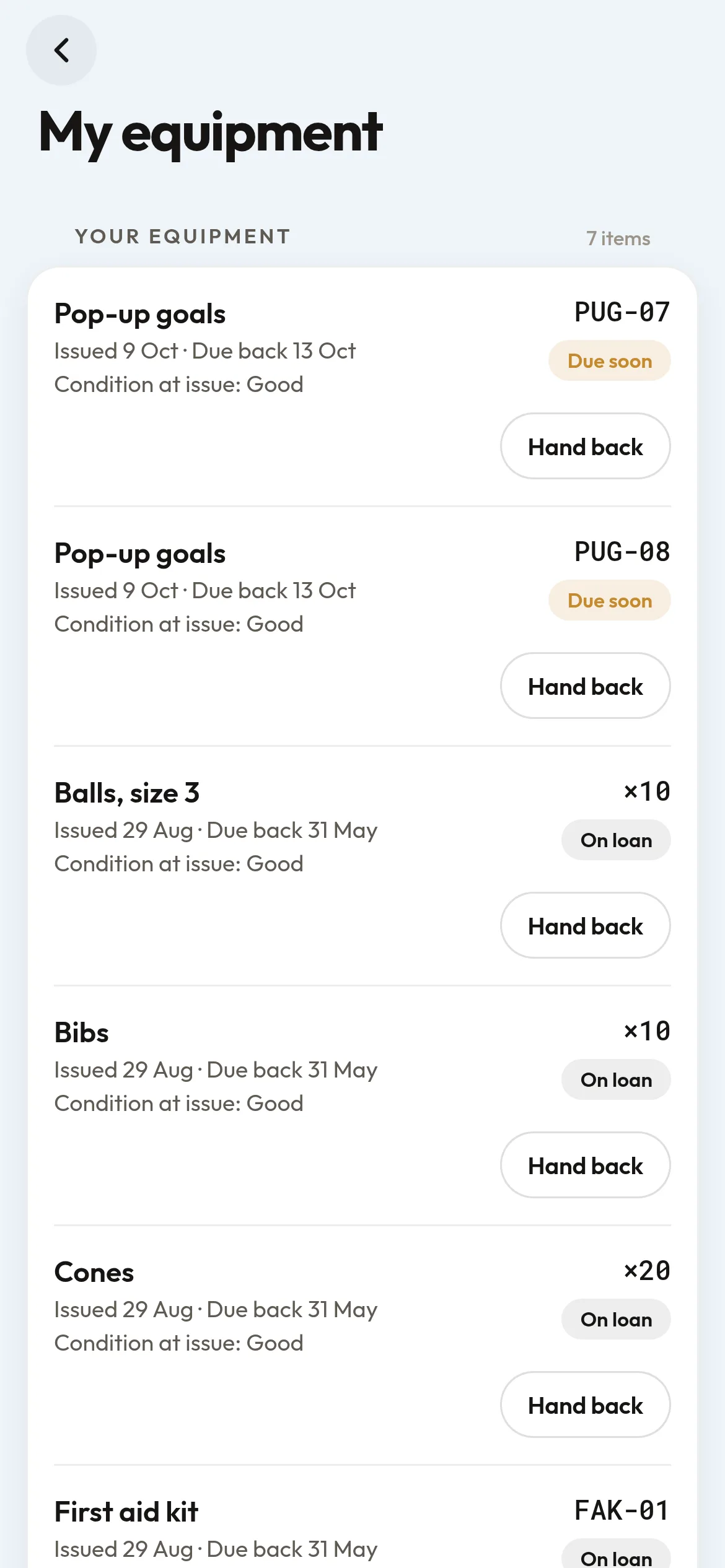
My equipment in the app, for a coach: two pop-up goals due back in two days, each with its asset tag and flagged Due soon, then balls, bibs and cones on loan until the end of the season. Each line shows when it was issued, when it is due back, its condition and a Hand back button.
Members see the kit they have borrowed, when it is due back, and hand it back
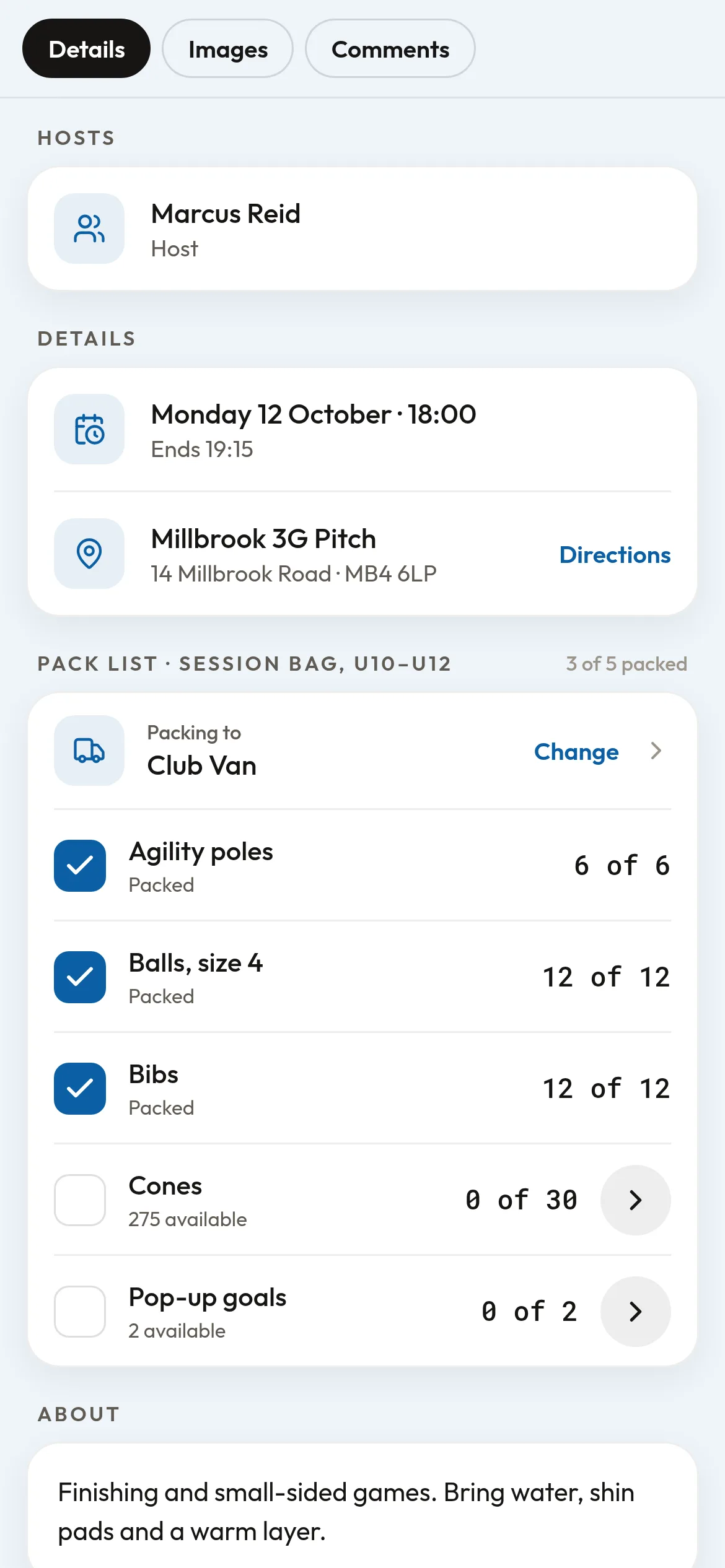
A training session in the app, seen by its host coach, Marcus Reid: below the date and the ground, the pack list for the U10 to U12 session bag, packing to the Club Van. Agility poles, size 4 balls and bibs are ticked, 3 of 5 packed; the cones and pop-up goals are still to load.
Coaches tick off each session's pack list as they load the van
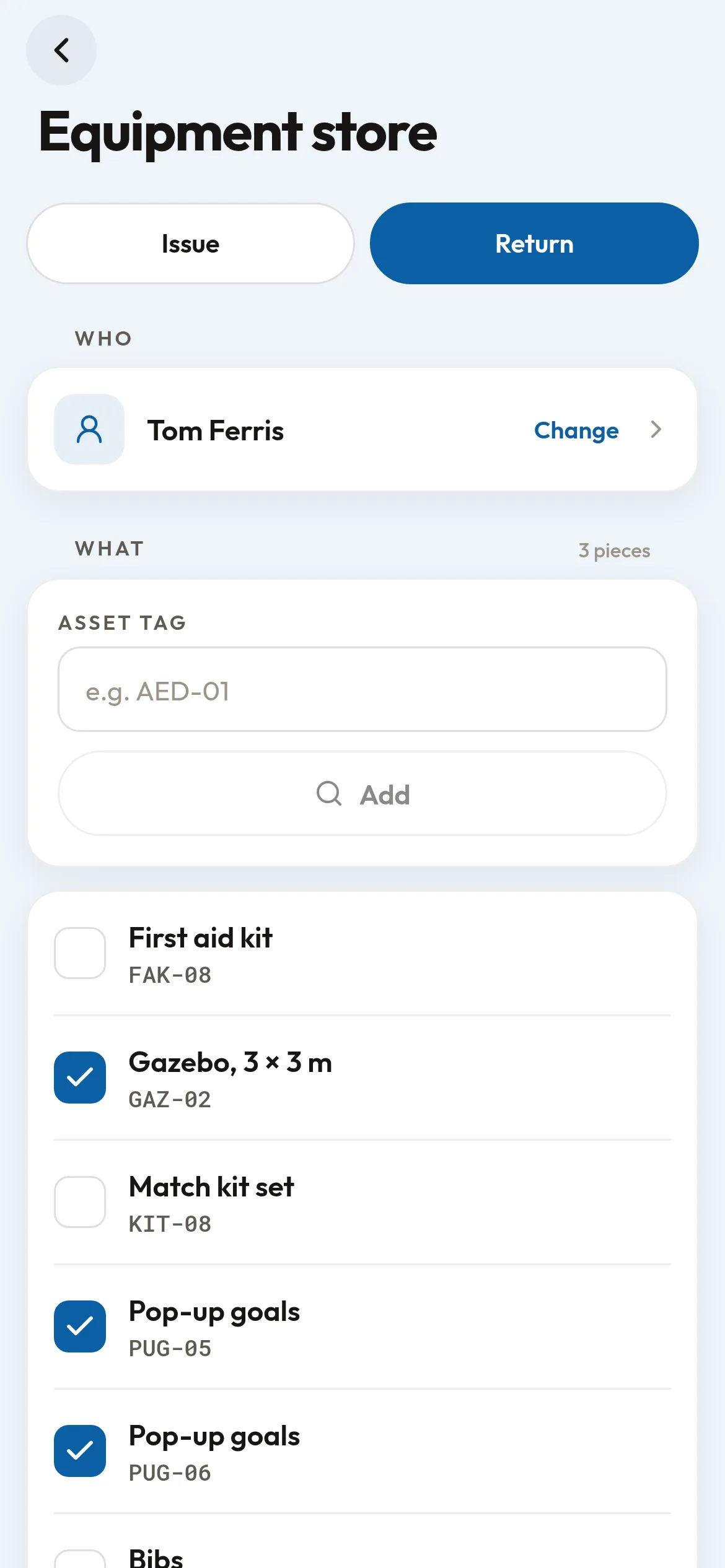
The Equipment store in the app, in Return mode, as the club's kit manager uses it: Tom Ferris is chosen, with an Asset tag box for finding kit by its label and what he has out listed below. The gazebo and two pop-up goals are ticked to come back; his first aid kit and match kit stay with him.
Your kit manager checks kit back in at the pitch, ticking off what's returned

Works with

  • Event templates: give a template a pack list so every session knows what to bring.
  • Connected clubs: lend equipment to clubs you are connected with.
  • The YourZown app: members and their parents see what they hold under My equipment.

Free while in beta

In beta: ask us for early access.